|
Plus: A smart recipe saver and sneaky web tracking tactics
Apps for staying organized |
Plus: A smart recipe saver, sneaky web tracking tactics, and Samsung's foldable push |
Different tools for different jobs. |
That's always the way I've looked at apps for note-taking, bookmarking, and task management. While some folks might swear by having one app for everything, my system for remembering things is game of survival of fittest, where new apps are always jockeying for a place in my workflow. |
Although I've talked about some of my favorite organizational tools in previous newsletters, I wanted to provide a more holistic look at how they all fit together for me. If you're struggling to stay on top of things with your own methods—whether they're digital or analog—maybe this'll provide some inspiration. |
Tweek Calendar for daily reflection |
Every weekday morning, my desktop computer automatically loads Tweek Calendar, a beautifully simple app and website (pictured above) for managing weekly tasks. You can add new tasks by typing on the blank lines, and you can move items around by dragging and dropping. |
A paid subscription adds Google Calendar sync, recurring tasks, and subtasks, but I don't need any of that. For me, Tweek isn't a heavy-duty task manager or full-blown Google Calendar replacement, but rather a quick way to reflect on the remaining week. (This story I wrote for Fast Company describes how you can set up the auto-loading component.) |
When I'm ready to start a task in earnest, I'll create a page for it in Notion, which lets you create freeform notes with their own checklists, subpages, tables, and more. Notion can be intimidating at first, but if you start with simple notes and expand outward, you'll quickly see how powerful it can be. |
The hub for all my written work is a page called "Jared's Scratchpad." From there, I have links to subpages for Advisorator, Cord Cutter Weekly, and any freelance articles I'm working on. Each of those pages might have their own subpages if further organization is necessary. (One example: When I'm interviewing people for a story, I'll create separate pages for every source, each with their own transcriptions and highlighted quotes.) |
Once I'm finished with a story, I file it away to my "Archive" folder, effectively clearing it off my to-do list. This works better for me than any dedicated task management tool, because there's no limit on the kinds of notes I can create. |
Google Keep for temporary items |
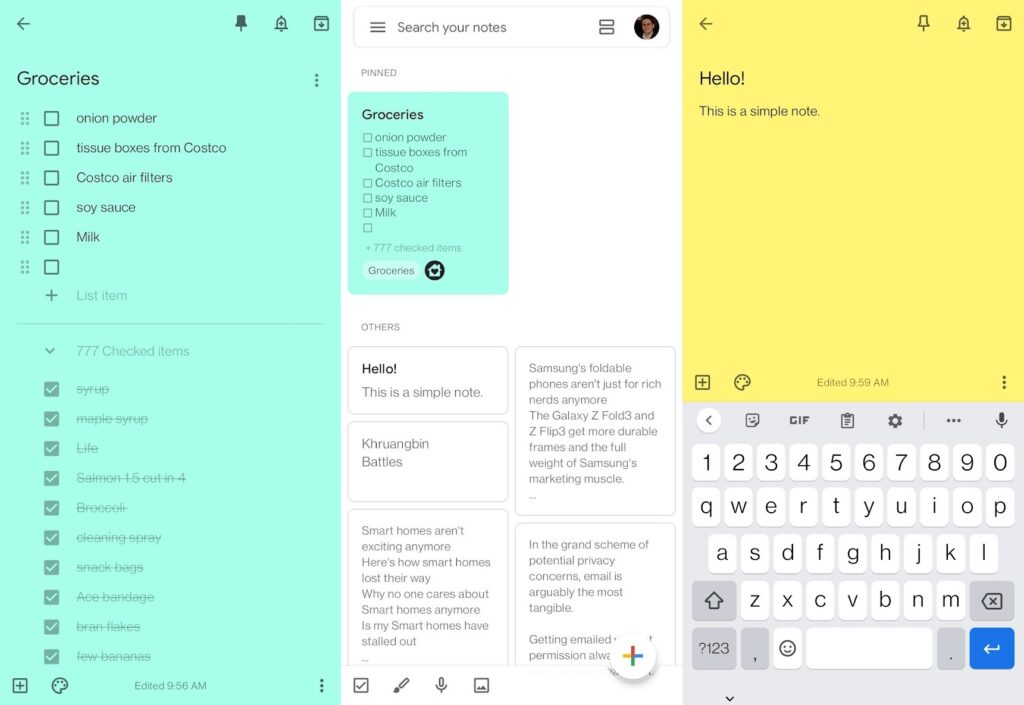
Notion's biggest weakness is that it can feel clunky for simple notes. When I just need to quickly jot something down or dictate it by voice, I use Google Keep, whose reverse-chronological layout lends itself to transient notes. It's my go-to app for storing sudden flashes of inspiration, writing down group take-out orders, and avoiding Seinfeldian parking garage mishaps. (Apple Notes might scratch a similar itch, but I like that Keep works just as well on Android devices.) |
My wife and I also use Google Keep for our shared grocery list. With its Google Assistant integration, we can ask any nearby Google Home or Nest speaker to add an item to the list, usually right after realizing we've run out of something. |
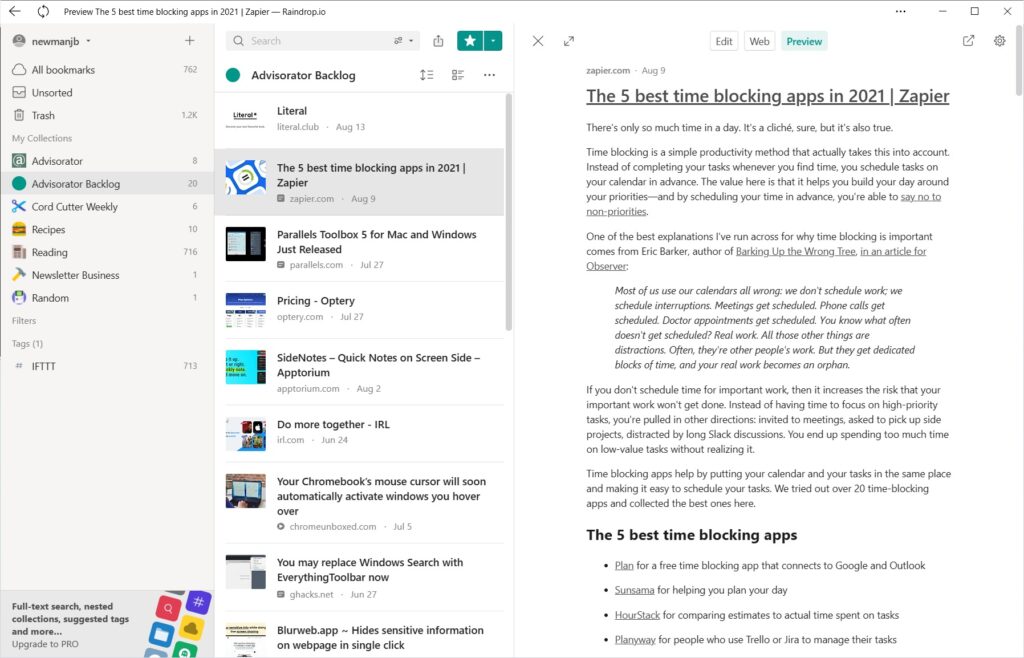
For me, bookmarks exist in their own category of notetaking, deserving of special treatment. I use Raindrop.io to save all the stories I plan to read and write about in my newsletters, filing them away with either Raindrop's browser bookmarklet or the share function of its mobile apps. This becomes its own kind of to-do list, as I gradually delete items from my story queue as I'm building each newsletter. |
Raindrop goes well beyond the capabilities of browser-based bookmarking. You can mark each folder with its own icon, read articles in a distraction-free view, and share collections with others. But I mostly just like Raindrop for its comfortable, straightforward app design and the ability to use it across virtually any computing platform. |
Google Assistant (or Siri) for time-based reminders |
Whenever I need to get something done at a particular time, I use whatever voice assistant happens to be on hand. That might be Siri if I'm carrying an iPhone, or Google Assistant if I'm using Android. The point is that I can just use voice commands to quickly give myself a reminder and move on, knowing that I'll get notified on my phone or smart speaker when the time comes. |
Got a get-things-done app you like better? I'm always eager to replace the tools I've got with better ones, so send me an email with what to try next. |
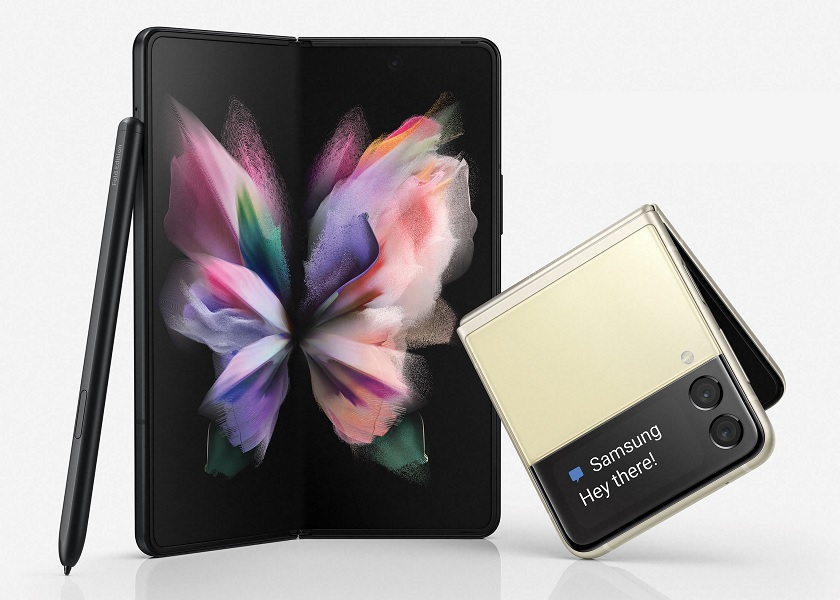
Samsung's new foldables: The time has come for the mainstreaming of foldable phones, at least according to Samsung. The new Galaxy Z Fold3 5G and Galaxy Z Flip3 5G phones have replaced the Galaxy Note as Samsung's late-year flagships, and they'll likely be a steady presence in TV ads as the company tries to get people to care about foldables as a concept. |
The phones themselves are not major departures from previous efforts. The Fold3 is basically a small tablet that folds in half, with an extra phone-sized screen on the outside, and while it's more durable than the Fold2, it still costs $1,800. The Flip3 looks more like a regular phone, but it folds down like a clamshell to fit in smaller pockets. Compared to its predecessor, it has a larger cover display for notifications, and its $1,000 sticker price is $450 cheaper. |
To me, the launch feels very much like the early days of the Galaxy Note, which a lot of observers laughed off as an expensive curiosity until they realized how great a bigger screen can be. Foldable phones may not stick for a couple more years, but the journey to acceptance feels like it's finally begun in earnest. |
The Samsung-Google smartwatch situation: The other big Samsung news this week came in smartwatch form, with Wear OS 3 debuting on both the Galaxy Watch 4 and Galaxy Watch 4 Classic. The new operating system is a collaboration between Samsung and Google, and it finally brings Google apps like Gmail, Gboard, and Maps to Samsung watches. |
But as The Verge's Chaim Gartenberg points out, the partnership doesn't feel fully baked yet. The new watches come with Samsung's fitness software instead of Google's—the latter must be installed separately—and for now, it uses Bixby instead of Google Assistant for voice control. Even so, the new watches will likely be the best Apple Watch alternatives for Android users for the foreseeable future, if only because existing Wear OS watches won't get the new operating system until late 2022. |
Sneaky web tracking tactics: Over at Fast Company, I wrote about how websites can circumvent web browsers' built-in privacy protections through a method called "bounce tracking." This allows websites like Facebook to hide trackers in the links that you click on, letting them know where you've been and where you're going. Compared to standard tracking cookies, this method is a lot harder for your web browser to block. |
It's not impossible, though. Apple Safari and Mozilla Firefox both provide partial protection against bounce tracking, and Brave has gone even further with an optional "Aggressive" privacy setting. Once enabled, it'll show a warning page when it can't prevent a link from tracking you, giving you a chance to back out. (You can get similar warnings in other browsers by using the anti-tracking extension uBlock Origin, which I highly recommend.) All this shows that privacy has no magic bullet, and that the cat-and-mouse game between trackers and browsers is far from over. |
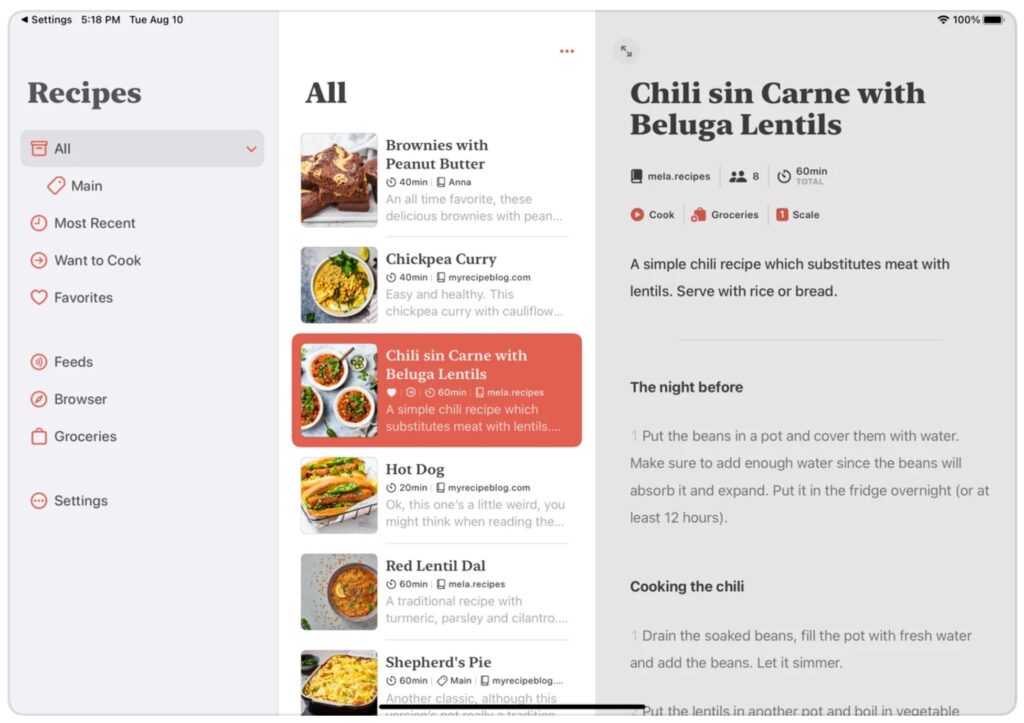
Save your recipes: Relevant to this week's feature topic, Macstories brings word of a clever recipe management app called Mela. The app includes five ways to slurp up new dishes: |
- Scan them from a book, and Mela will recognize and format the text.
- Search for recipes with the in-app web browser, and you can add them with a couple of taps.
- Use the Share function in iOS to add recipes from other apps.
- Enter a cooking site into the "Feeds" section, and Mela will automatically pull in new recipes as they come out.
- Fill out your own recipes from scratch.
|
Once you've saved a recipe, you can add ingredients to a list in Apple's Reminders app, scale the recipe size up or down, and enter a "cook" mode that makes text larger while keeping your screen on. |
The app's recipe recognition wasn't flawless in my experience. It had trouble dealing with a printed recipe that ran across two pages, and it couldn't register descriptions on Tastecooking.com. Still, you can always modify or add to any recipe manually—something you might want to do anyway—and the RSS-based Feeds feature is a smart way to scan for new dishes. It's worth the $5 one-time purchase price if you want to experiment with a novel way of tracking your culinary endeavors. |
Plexamp's musical ear: For those of us who are running our own music servers with Plex, a new feature of the Plexamp music player makes personal collections more fun to explore. The app can now generate playlists of "sonically similar" artists and songs, based on the qualities of the audio rather than just facile genre descriptors. While big streaming services like Spotify and Pandora can do this already for their own recommendations, I've yet to see this kind of intelligence applied to local collections of MP3s or FLAC files. |
There's just one catch: The new sonic analysis doesn't work on ARM-based devices with the exception of new Apple silicon Macs, so you can't set it up on a Raspberry Pi or Nvidia Shield due to the processing power required. |
One more note-taking app to try: In the interest of further experimentation, Things is a long-running task management app for Apple devices that just launched support for Markdown-based notes. That means you can add notes inside your to-do list and format them with subheadings, bold text, bullet points, and more. While the lack of Windows, web, and Android support makes Things a non-starter for me, maybe it'll scratch an itch for you. The app is free to try for 14-days, after which it requires a one-time purchase on each platform where you use it. |
Eligibility does depend on whether you've been a subscriber before. I was able to redeem the Apple TV+ offer even after getting one year free with a new device in late 2019, but I could only get one month of Apple Music. In all cases, you should be able to immediately cancel and still get the full trial period without being billed at the end. |
Other notable deals this morning: |
Have you checked out Advisorator's members-only website lately? That's where you can read every past issue of this newsletter, along with previous issues of Cord Cutter Weekly. If you're an RSS feed user, you'll also find personalized links for adding either newsletter to your feed reader of choice. |
Otherwise, have a great rest of your week, and let me know if I can answer any tech questions for you. |
This has been Advisorator, written by Jared Newman and made possible by readers like you. Manage your subscription by clicking here, or reply to this email with "unsubscribe" in the subject to cancel your membership. |
|

 Jared Newman | August 17, 2021 |