|
Plus: TSpeed reading for YouTube and a cure for pesky chatbots
The rebirth of an internet classic |
Plus: Another blue light debate, speed reading for YouTube, and a cure for pesky chatbots |
Over the weekend, I landed on a new website that brought back some old memories. |
It's called Stumbled.cc, and you might think of it as a shuffle button for the web. Click the blue "Start Stumbling" button, and you'll be whisked away to an interesting website. If you're not sufficiently intrigued by what comes up, just click "Next Site" for another pick. |
Stumbled is clearly riffing on a classic Web 2.0-era site called StumbleUpon, which was once my go-to destination when I was bored on the internet. But while StumbleUpon's shuffle button used an algorithm to sift through its users' submissions—and was therefore subject to being gamed by influential users—Stumbled is the work of a lone web developer named Kevin Woblick, who curates every one of its 1800-and-counting submissions. |
Clicking through the collection, it didn't take me long to find a bunch of sites worth bookmarking and articles worth reading. Drive and Listen plays car dashcam footage from around the world while local radio stations pump through the stereo. Microsoft Coffee describes "the last corporate prank before PR ruined everything." Purrli is a cat purr noise generator. An Illustrated Guide to Masked Wrestlers is self-explanatory. |
For me, Stumbled is a reminder of what the web used to be like. It offers a respite from big social media sites, where recommendation algorithms regularly stir up outrage in the name of boosting engagement. While its hand-curated selection of sites is inherently smaller in scope than StumbleUpon was, in a way that's part of the allure. (I first learned of the site via Ryan Broderick's newsletter, which is called Garbage Day despite being a pretty good read in itself.) |
To start stumbling, just visit Stumbled.cc in any web browser. You can also add the site to your home screen in Chrome for Android (press the vertical "..." button, then select "Add to Home Screen) or Safari for iOS (press the Share button, then select "Add to Home Screen). |
More echoes of the old web |
Stumbled isn't the only throwback to older ways of browsing the web. If you've got more time to waste, here are some other examples: |
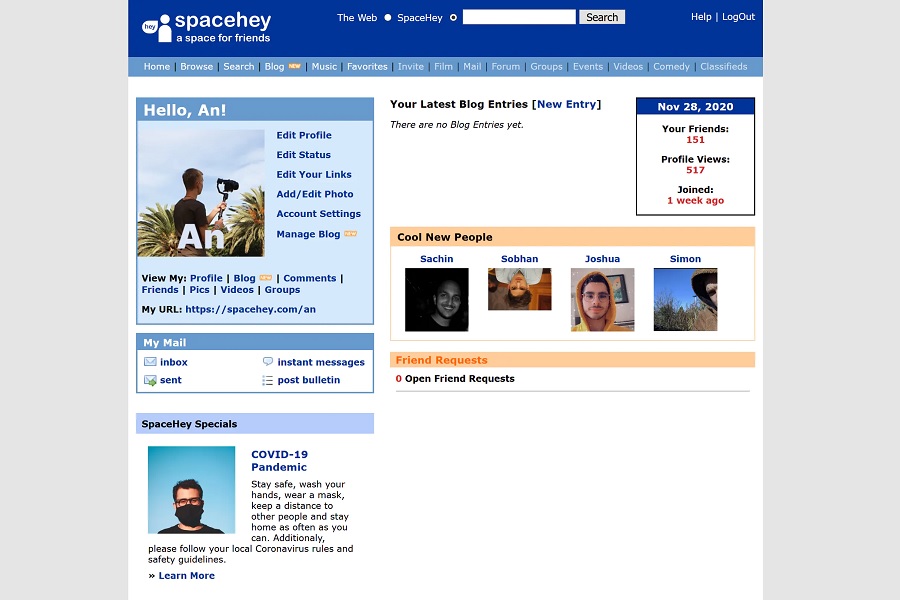
Each user gets a profile page with customizable HTML and CSS, so you can expect a lot of scrolling text and funky backgrounds, and a foray into music recommendations is coming soon. I have admittedly not done much with my profile page, but that might change in the future! |
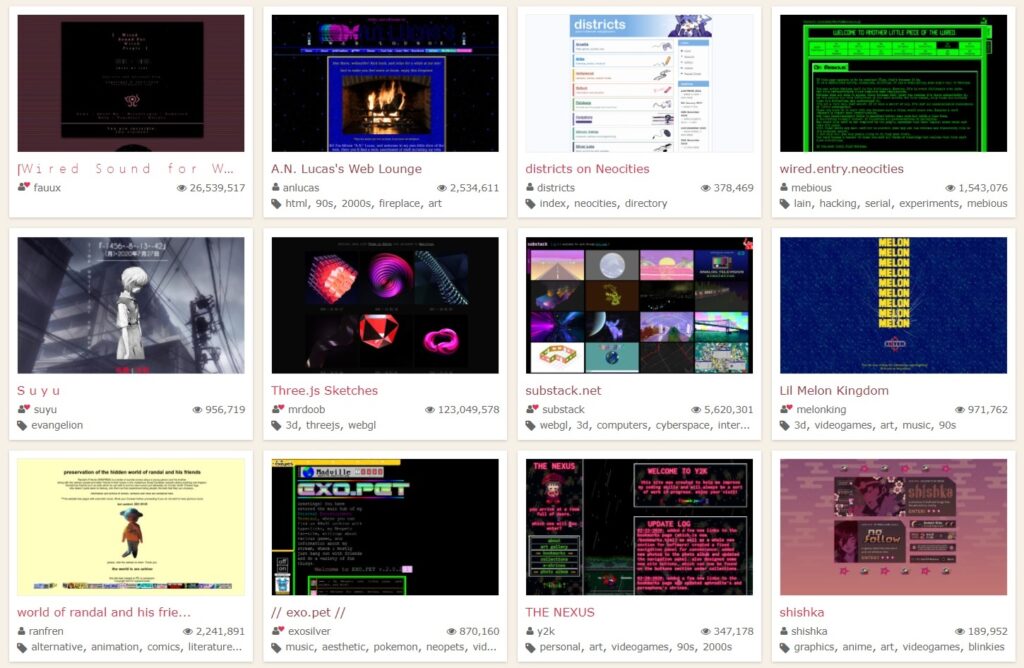
Neocities is a web hosting service that aims for the feel of Geocities in the late-1990s, right down the liberal use of animated GIFs and MIDI backing tracks. Browse the most popular Neocities sites, and you quickly a get a sense of how much more expressive people can be when they're not tied down to huge social media platforms. |
Geocities Gallery: If Neocities isn't nostalgic enough, you can also check out Restorativland's archive of old pages from the actual Geocities website. Click on a "city," and you'll see thumbnail previews for each page, letting you soak up the full scope of late 1990s web design before drilling in further. |
Hypnospace Outlaw: This last recommendation isn't a website at all, but rather a game that wraps the feeling of browsing the old web inside a well-designed detective story. I just played Hypnospace a few weeks ago, and while it reflects a different reality altogether, hopping between its many hand-crafted pages reminded me of discovering the web for the first time. Maybe that's why I've got all this stuff on the brain the first place. |
Now, back to the modern internet we go. |
Google's two-step stipulations: To keep its users from getting hacked, Google says it will start opting more of them into two-step verification automatically. That means you won't be able to sign into your Google account on a new device without using a separate device to verify that it's really you, for instance via a notification in Gmail's mobile app. The idea is that a hacker wouldn't be able to access your account without both your password and physical access to your phone. |
Google's being vague on the details, though. The company says it will enroll users whose accounts are "appropriately configured," which presumably means those who've logged into Google on their phones. Still, it's unclear how Google will get those users to set up backup authentication methods—such as a secondary account or printed fallback codes—if their phone gets lost or stolen. The company also isn't saying when this mandatory switchover will happen. |
All the more reason, then, to set up two-step verification on your own terms instead of waiting for Google to do it on your behalf. You can get started here. |
Amazon's Sidewalk expansion: Amazon has set a launch date of June 8 for Sidewalk, a system that creates neighborhood-wide wireless networks out of everyone's Echo speakers and Ring cameras. The main use case out of the gate is item tracking: If you have a Tile tracker, and you lose it within Bluetooth range of another home's Echo or Ring device, Tile will update the tracker's last-known location on a map. Amazon's also working with a company called CareBand to track the whereabouts of dementia patients. |
I last covered Sidewalk in December, when Amazon cheerily informed Echo users that it would automatically opt their devices into the network. Then, as now, I'm unsettled by the whole proposition. |
Without explicit permission, Amazon is setting up a system whose full range of use cases it hasn't clearly defined. There's a real possibility that Sidewalk ends up being a tool to expand private surveillance, and while Amazon claims that its system is secure, it still results in companies like Tile having access to more location data. On top of that, the system requires every home to dedicate up to 500 MB per month in bandwidth, which isn't a lot, but also isn't nothing. |
At least you can still opt your Echo devices out of Sidewalk in the Alexa app. Just head to More > Settings > Account Settings > Amazon Sidewalk, then sliding the toggle to the off position. |
The blue light debate is back: A recent Brigham Young University study got some attention last week for disputing the idea that you should avoid blue light from screens before bed. Comparing the sleep outcomes from three groups of people, researchers found no differences in sleep quality between those who enabled iOS's Night Shift feature to reduce blue light, those who used standard screen settings, and those who avoided screens entirely. A second experiment, limited to adults who slept for seven hours per night, found a "slight difference" in sleep quality between those who used screens at all—with or without Night Shift—and those who didn't. |
BYU's study is hardly the first to portray features like Night Shift in a colder light. Earlier studies have shown that melatonin concentration tends to recover pretty quickly after blue light exposure, and experts have argued that the stimulation of staring a bright, beautiful screen before bed matters more than the tone of the screen itself. Night Shift might make your screen a bit less engaging, but that crucial step of putting the screen down is still on you. Now, if only I could take my own advice, I'd be in great shape. |
Speed reading for YouTube: Have you ever looked up something online, only to find that the best answer is tucked inside a 10- or 15-minute YouTube video? Lately I've come up with a way to find the relevant portion without having to sit through the whole thing. |
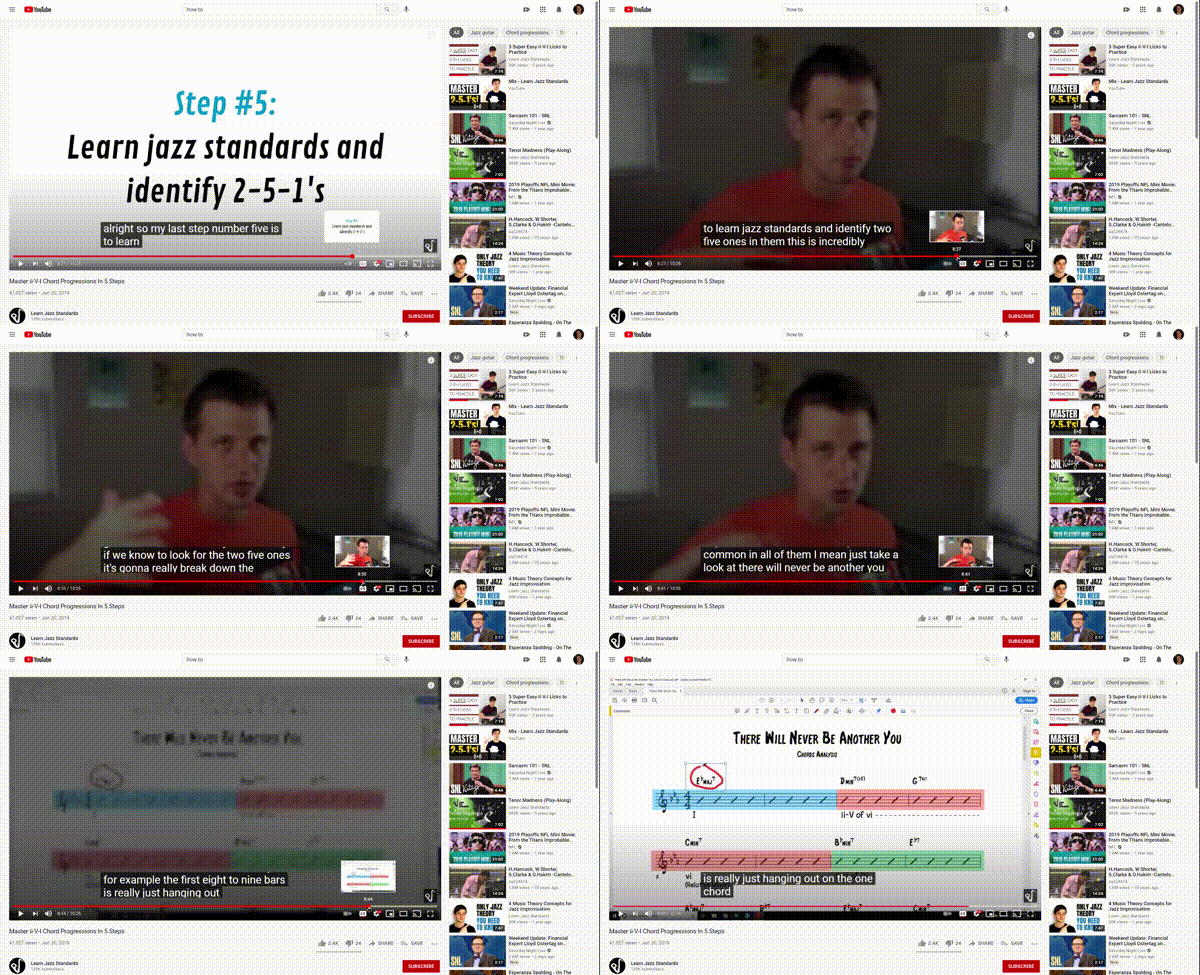
Once the video starts playing, hit the "CC" button to turn on closed captions. Then, on the desktop YouTube site, drag the video playback bar to gradually scroll through the video. The closed captions will advance as you scroll, so you can skim through them and find what you're looking for. |
This gets a little trickier on mobile devices, since you can't advance the captions without letting go of the video slider. To work around this, tap on your profile picture in the YouTube app, then head to Settings > General > Double Tap to Seek. Change the amount to 5, then return to the video. Now, when you double-tap the left or right side of the video, it'll skip ahead in five-second increments, so you can use the captions to find what you need. (Alternatively, you can use YouTube's mobile website, which works more like the desktop version. Just hit the gear icon at the top of any video for the option to enable closed captions.) |
While you're at it, keep in mind the Wadsworth Constant, which dictates that the first 30% of any YouTube video contains no useful information and can be skipped without consequence. You'd be surprised at how often this holds true. |
Squash those pesky chatbots: From the department of "things that annoyed me enough to fix with a browser extension," Hello, Goodbye is an extension for Chrome, Edge, and Firefox whose sole purpose is to block chatbots on websites. |
Too often, I'll be researching some product or service when an automated chat bubble pops up, playing a sound and causing my browser tab to flash while asking if I need any assistance with anything. I'm not sure who finds these chatbots useful, but usually the only thing I need is for them to let me browse the web in peace. Hello, Goodbye does the job as advertised. |
Keep in mind that you can dismiss the donation prompt that comes up immediately after installation, and if you do want to activate chatbots on a website for some reason, you can always click the extension button to bring them back. |
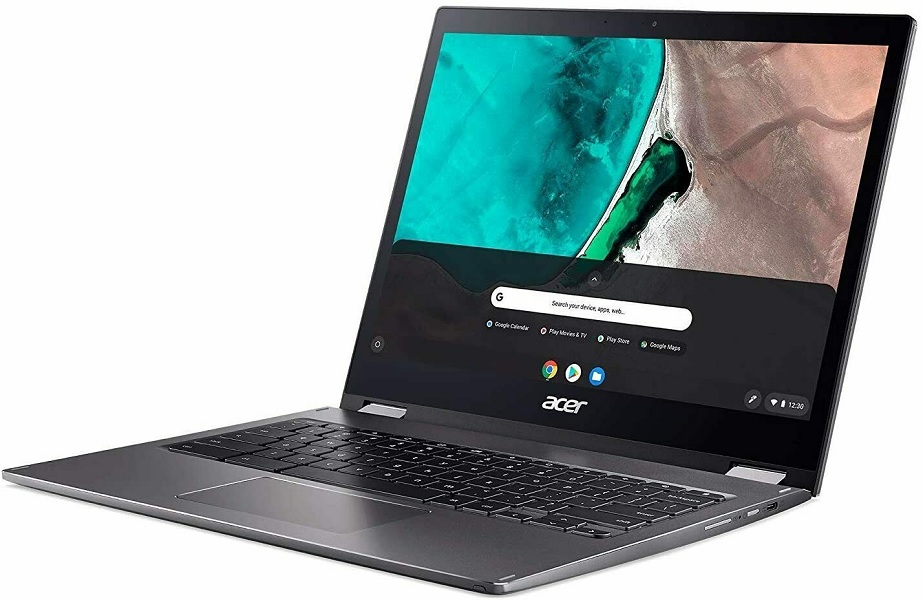
Look for recommendations on the best Chromebook, and you'll likely see the Acer Spin 713 come up. It has a 13.5-inch touchscreen with a 3:2 aspect ratio, which gives you more vertical space while browsing web pages, plus it can flip around into tablet mode. Its specs are also on the high end for ChromeOS, including a 10th-gen Intel Core-i5 processor, 8 GB of RAM, and 128 GB of storage, and it has an HDMI port for connecting to external displays. Reviews have been glowing. |
While the Spin 713 debuted at $629, eBay has a refurbished model for $401 when you use the code PICKCR5 at checkout. If you're interested in a computer that mainly runs the Chrome browser, Android apps, and perhaps the occasional Linux program, this might be as good as it gets. |
Other deals worth noting: |
I admittedly went out on a limb a bit for this week's feature topic, but I hope it strikes a chord with at least some of you. Let me know about your favorite remnants of the old web by replying to this email, or just send me your most pressing tech questions instead. The Advisorator chat room on Slack is also still kicking if you want to swing by and say hello! |
This has been Advisorator, written by Jared Newman and made possible by readers like you. Manage your subscription by clicking here, or reply to this email with "unsubscribe" in the subject to cancel your membership. |
|

 Jared Newman | May 11, 2021 |