Plus: Clearing desktop clutter and deep Mac discounts. |
Smart speaker music features compared |
Plus: Clearing desktop clutter, Amazon's missing robots, and deep Mac discounts |
With smart speakers such as Amazon's Echo, Google's Nest, and Apple's HomePod, I've realized that nothing matters more than the music. |
Using your voice to control your lights or ask about the weather is nice, but being able to launch music by voice, cast it from your phone, and play it in sync across multiple speakers is really what makes these devices worthwhile. |
Of course, none of the huge tech companies making these speakers can seem to agree on the best way to do such things. Features like multi-room audio room audio, phone control, and TV speaker output can vary from one platform to the next, and the support for various streaming music services can be wildly inconsistent. |
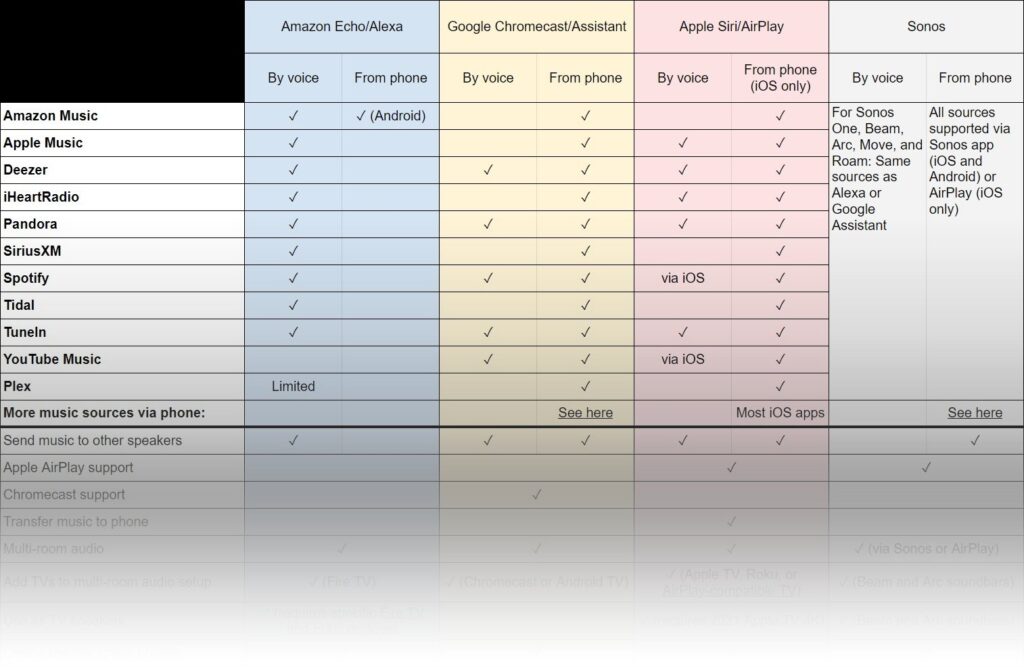
To make sense of it all, I decided to make a chart. Click here or on the image below, and you'll see a nitty-gritty comparison of music-related features for Amazon Alexa, Google Chromecast/Assistant, and Apple Siri/AirPlay. (I also threw in Sonos for good measure, as some of its speakers let you choose between Alexa or Google Assistant, and all of its speakers tie into Apple's AirPlay system as well.) |
Digging into these features reveals all kinds of quirks and inconsistencies. For example: |
- You can route music from an iPhone to multiple HomePods or AirPlay speakers, but you can't use the Alexa mobile app to switch music between Echo speakers.
- If you cast audio to a Google Nest speaker, you can use an Android phone's volume keys to adjust the speaker, even from the lock screen. On iOS, this only works if the music app is open.
- With an iPhone, you can say "Hey Siri, play music from Spotify on the HomePod." But if you ask the HomePod directly to play from Spotify, it won't work.
- Chromecast and AirPlay speakers can play music from a Plex server, but only with phone controls. Echo speakers can play music from Plex, but only with clunky voice commands.
- Amazon is still the only major tech company that sells a dedicated subwoofer for its speakers.
|
Note that I mostly avoided the topic of audio quality, because each ecosystem has its own array of speakers in different shapes, sizes, and price ranges. Instead, I wanted to focus on the kinds of convenience features that make playing music less of a hassle in the first place. |
It's the kind of comparison I haven't seen anywhere else, and I hope it'll illuminate what's possible, either with the speakers you're planning to buy or the ones you already have. If you're still left with questions afterwards, just let me know. |
Amazon's missing robots: Over at Bloomberg, Mark Gurman has astutely observed that you still can't buy Amazon's much-hyped Astro home robot six months after launch. The product, which can surveil your home with its cameras, ferry drinks around on its cupholders, and respond to Alexa voice commands, still requires an invitation to buy. Sources say Amazon has shipped just a few hundred of them at most. |
Meanwhile, the folks who have received an Astro seem underwhelmed. One self-described Amazon hardware enthusiast admits to not using his Astro much, and believes it should cost $700, less than half of its $1,500 list price. (Customers who get an early invite can buy it for $1,000.) |
All of which reinforces my point from last September about not being Amazon's hardware guinea pig. Even when the company offers discounts on "early access" products, there's almost no downside to waiting it out and seeing if it has a real future. The Astro has all the indicia of being another Amazon product to avoid, with or without an invite. |
Chrome OS for old laptops: I didn't get a chance to mention this last week, but Google's new Chrome OS Flex program is worth keeping an eye on. Currently in early testing, Flex will allow users and businesses to turn old Windows PCs and Macs into Chromebooks. It stems from Google's 2020 acquisition of CloudReady, a company that offered similar software without Google's blessing. |
You can still use CloudReady to revive an old laptop today, but as Ars Technica notes, Flex will introduce more features, such as Google Assistant support, tighter Android phone integration, and in some cases the ability to install Linux programs. Flex will also run the latest version of Chrome instead of being a couple releases behind. An experimental version of Flex is available now—ideally on a bootable USB drive—and should be available in stable form next quarter. I'm looking forward to unearthing our decade-old 17-inch MacBook Pro and giving it a try. |
Clear desktop clutter: If you're ever feeling overwhelmed by an excess of open windows on your Mac, a new tool called Later can help. By clicking a button on the Mac menu bar, you can hide all open windows from your desktop, then bring them back at a later time. |
I've been using a review copy of Later provided by the developer, and have found it useful for clearing out desktop clutter when it's time to focus. It can also be helpful for hiding your apps and browser tabs during a Zoom presentation. |
To hide your apps, just hit Later's big blue "Save windows for later" button, or press Cmd+Shift+L. You can then restore your session through the menu bar or by hitting Cmd+Shift+R. |
Later also has a few other useful options for clearing out Mac window clutter: You can choose to quit all applications instead of hiding them, automatically restore your windows after a certain amount of time, and leave system windows such as Finder untouched. (Unfortunately, there's no way to exempt non-system apps from being hidden.) |
With its $20 price tag, Later may not be for everyone, and there is another way to achieve window-clearing clarity if you'd rather not buy another app: Just open Mission Control on your Mac, then hit the + button on the right to create a new "Space." |
This doesn't work as well with multiple monitors, since you can't hide both screens' windows with one click, and you won't get Later's auto-resume and quit-all capabilities. Still, it's good enough for opening a fresh desktop in a pinch. |
Windows users also have a couple of different options: Press Win+D or click the bottom-right corner of your screen to minimize and restore all your apps, or create a new desktop space through Task View (pictured above), which you can open by hitting Win+Tab or clicking the box-like icon next to the Start menu. Hitting the "+" creates a new space that even spans multiple monitors. |
Meanwhile, a Windows app called CloseAll allows you to quit all your Windows apps at once. Like Later, it costs $20, though the free trial version has no apparent limits on usage. |
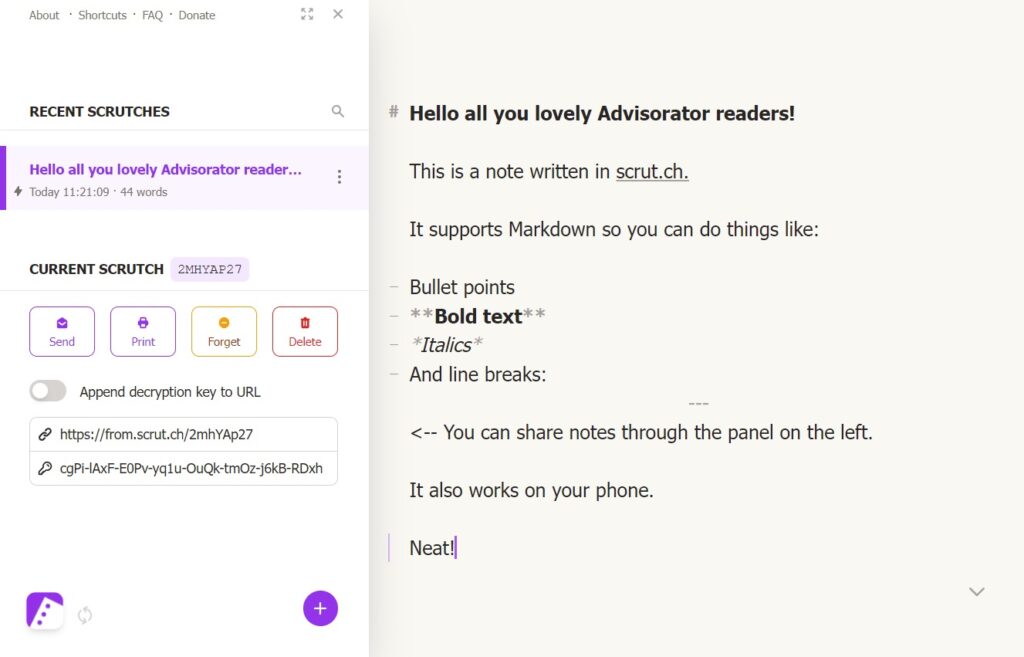
A neat little notes site: At the very least, I love the pitch behind scrut.ch, a free web app for typed notes. Instead of touting its features, the landing page promotes the lack thereof: There are no logins, no ads, no tracking, no themes, and not much in the way of formatting, and there's also no cost. See also: txt.fyi. |
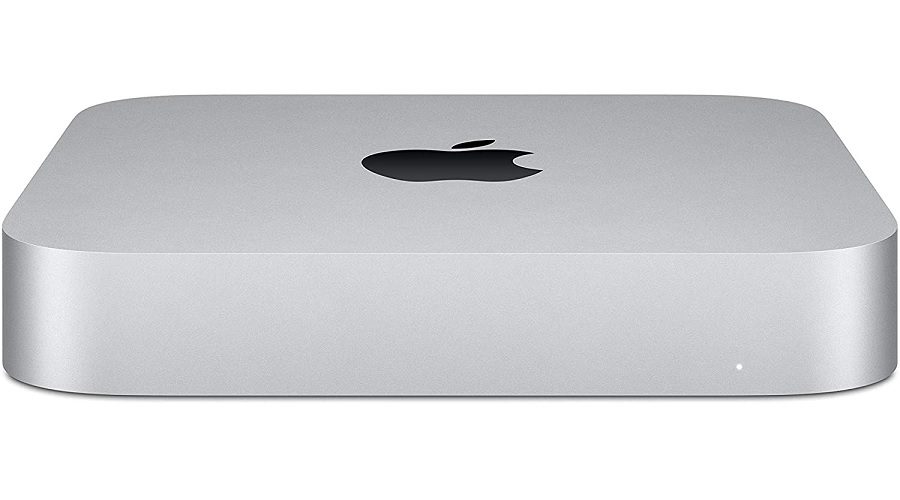
It's a fine day for deals on M1-powered Macs, with the Mac Mini back down to a record low price of $570. You can also save $200 on Apple's 24-inch iMac with 512 GB of storage, an 8-core GPU, and 8 GB of RAM, bringing the price to $1450. Note that in both cases, the final price appears at checkout. |
Hey folks, sorry for the later-than-usual newsletter, thanks to a wonderfully-timed Spectrum service outage gumming up my usual production plans. As always, reply to this email or hop into the Advisorator chat room on Slack if you'd like me to answer any tech questions for you. |
This has been Advisorator, written by Jared Newman and made possible by readers like you. Manage your subscription by clicking here, or reply to this email with "unsubscribe" in the subject to cancel your membership. |
Advisorator LLC, PO Box 42711, Cincinnati, OH, 45242 |
|
|
|

 Jared Newman | March 1, 2022 |