 |
| |
 |
| February 4, 2020 |
| Android creature comforts on an iPhone |
| Plus: Stop Facebook from following you, make podcasts sound better, and get a great mouse for less |
| |
 |
|
As I mentioned at the end of last week's newsletter, I'm now using an iPhone full-time, having switched from a Pixel 2 XL to a gently-used iPhone XR.
But while the iPhone has many virtues--top-notch hardware design, simple software, and iMessage support among them--I immediately started missing a bunch of Android features that iOS lacks. Below are my attempts to find rough iPhone approximations for my biggest Android creature comforts, arranged from simplest to most convoluted:
The back button
Design snobs might hate it, but I love how Android phones provide a universal back button that reverts to the previous menu screen in any context. With a back button at the bottom of the screen, you never have reach awkwardly for the top of the phone or figure out different back behavior for each app.
Fortunately, many iOS apps offer the same convenience when you swipe right from the left edge of the screen. Try using this gesture to go back in your web browser, close iMessage conversations, or exit Apple News articles. The only problem is that it doesn't work with every app (looking at you, Google Keep), and if you're viewing a photo, you might have to swipe down from the middle of the screen to dismiss it instead.
Google Assistant
Siri might be better than it used to be, but I still rely on Google Assistant for certain tasks, such as broadcasting a message to Google Home speakers and adding items to our Google Keep grocery list. You can install the Google Assistant app on iOS, but that alone is less convenient than invoking Siri with a button.
The workaround here is an iOS Shortcut that passes you along to Assistant when you open up Siri and say "Hey Google" or "Yo Google." (The latter command is helpful for keeping nearby Google Home speakers from activating simultaneously.) To set up this shortcut, first make sure you've allowed untrusted Shortcuts under Settings > Shortcuts on your iPhone, then click here to enable Hey Google or click here to enable Yo Google.
The spouse button
Whenever I buy or review a new Android phone, I always put a contact widget for my wife right in the middle of the home screen. That way, I can call or text without having to dig through multiple menus.
Once again, Shortcuts saves the day on iOS. To put a contact icon on your home screen, install Federico Viticci's Home Screen Icon Creator shortcut, run it within the Shortcuts app, then select "Contact Launcher." Choose your contact, hit "Phone," then choose "Text." Finally, hit the Share button on the next page and select "Add to Home Screen." You'll get an icon that launches into iMessage for whichever contact you've chosen. Once you're in iMessage, you can also call the contact by tapping their picture at the top of the screen.
Focus Mode
Back in December, I wrote about a new Android feature called Focus Mode, which helped me avoid digital distraction by blocking certain apps (along with their notifications) during family time.
The iPhone's nearest equivalent is Downtime, which blocks everything except phone calls during scheduled times. To make this work more like Android's Focus Mode blacklist, head to Settings > Screen Time, select "Always Allowed," then choose every app on the list except the ones that are most distracting. (If you install any new apps, you'll have return to this menu and unblock them as well.)
Easier unlocks
Although I kind of miss the fingerprint reader on my Pixel 2 XL, I really miss Android's "Trusted Device" feature, which can keep your phone unlocked while it's paired to certain Bluetooth devices. Apple's FaceID face recognition system is far less convenient, especially when my iPhone is lying flat on my desk with the camera pointed upward.
This proved so annoying that I quickly caved and bought a $9 wooden stand to keep the iPhone upright in my office. It's no replacement for Trusted Device, but at least it lets FaceID instantly recognize me when I need to read a text message or use my two-factor authentication app while working.
Emptier home screens
On Android, you don't have to stuff apps into every available space on the home screen, so I always leave the top few rows blank, exposing more of my wallpaper and keeping apps within easy reach.
With a bit of work, you can set up something similar in iOS. Start by entering your home screen's edit mode, then scroll to the blank page on the far right and take a screenshot. Then, use this website to generate blank home screen icons that match the empty spaces.
A couple caveats though: You'll first want to disable the "Dark Appearance Dims Wallpaper" option under Settings > Wallpaper, and if you change your wallpaper, you'll have to generate new blank icons all over again.
Driving mode
With Android, I love plopping my phone into my car's dashboard mount, turning on my Bluetooth receiver, and having the Android Auto app pop up with simplified music and mapping controls. (Here's a piece I wrote for PCWorld a couple years ago about setting all that up.)
My iOS setup is still a work in progress, but so far I've created a Shortcut that turns on the Voice Control accessibility feature in iOS, starts playing my Thumbprint Radio station in Pandora, sets volume to 100%, then jumps over to Google Maps. If you'd like to give it a try, click here.
|
|
| Tip of the moment |
 |
|
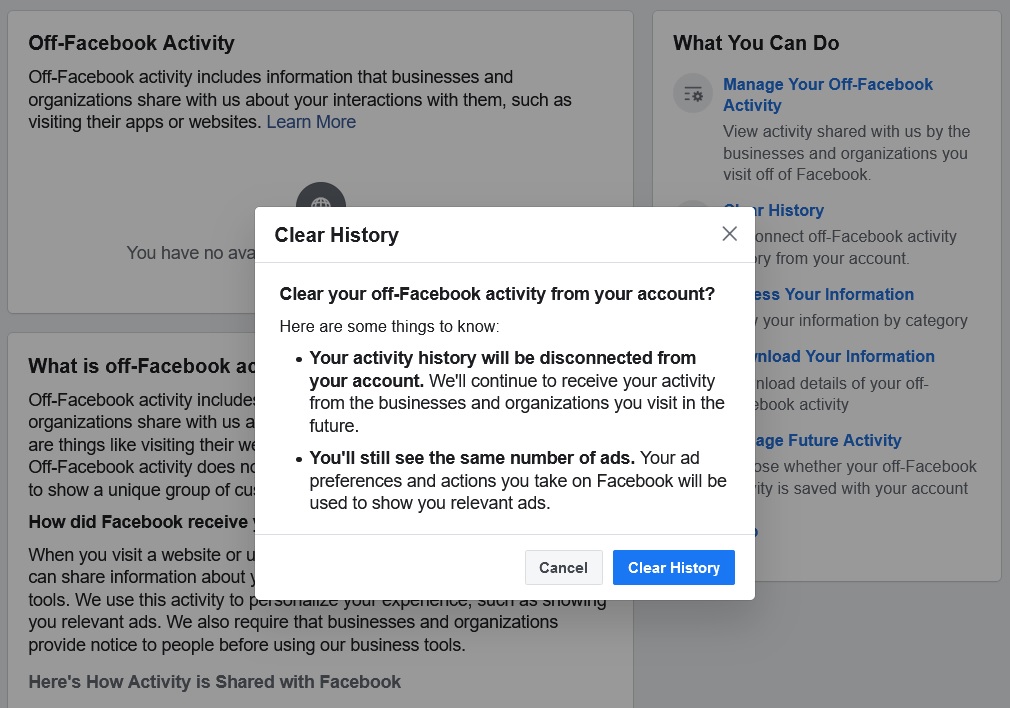
Facebook has kind of, sort of made good on its plans for a "Clear History" tool that wipes the data it's been collecting about you.
With a new "Off-Facebook Activity" menu, you can see what Facebook knows about all the websites you’ve visited, apps you’ve used, and brick-and-mortar stores you’ve been to. You can then disconnect that data from your Facebook account. As the company notes, there's no way to delete the data outright, but disassociating yourself is still worth doing.
In your web browser, just click here while logged into Facebook or head to Settings > Your Facebook Information > Off-Facebook Activity. On the right-hand menu, click the "Clear History" button to remove what Facebook already knows. Now, hit "More Options" in the same menu, then select "Manage Future Activity." Finally, set the "Future Off-Facebook Activity" toggle to the off position.
Cutting off this data does have one notable drawback: You won’t be able to use the “Login with Facebook” option in apps and websites anymore, but you ought to avoid doing so anyway because of the data collection involved. Also, the ads you see from Facebook will be less personalized, and as a result, Facebook will be very disappointed in you. Not mad, just disappointed.
|
|
| Need to know |
|
Apple Maps improvements: If you've previously sworn off Apple Maps in favor of Google Maps or Waze, consider giving it another try. Apple has now completed its U.S. rollout of a major Maps redesign, adding outlines for buildings and more detail for parks, malls, and other points of interest. In other words, it looks a lot more like Google Maps, but without the constant data collection.
Overcast updates: Overcast was already a fine alternative to Apple's own Podcasts app on iOS, and now it's getting better with several new features. AirPlay 2 support makes streaming to compatible speakers faster and more reliable, and it lets you listen through multiple AirPlay 2 speakers at the same time. Voice boosting is also improved, making quiet dialog louder (and loud dialog quieter) with more clarity. Best of all, though, you can finally avoid podcast theme songs for good by specifying how much time to skip at the start and finish of each series. The app is free to download with a $10 per year option to remove ads.
Guilt-free ad blocking: A new service called Scroll is looking to strip the ads from websites and pay them in subscription revenue instead. For $5 per month (plus 50% off for the first six months), you can browse USA Today, The Atlantic, Vox, The Verge, Business Insider, Buzzfeed, and several other sites without any flashing banners or annoying video pop-ups. Scroll accomplishes this through a clever repurposing of tracking cookies, remembering who you are so you don't have to keep logging in across different sites and apps.
Of course, you can achieve similar serenity by installing an ad blocker in your web browser or mobile device, and I don't think guilting people out of doing so is a sufficient enough business model. The big question for me is whether Scroll can find other ways to make its subscription more valuable. I do like the way that Scroll bookmarks your place in each article, letting you pick up where you left off on any device, so maybe Scroll can build on that with more reading and curation features. Either way, I'm interested in the effort.
Ring's security and privacy push: And just in case you needed more privacy boxes to tick, Ring has released the Control Center feature that it announced last month. You'll find it in the drop-down menu in the top-left corner of the Ring mobile app. From here, you can enable two-factor authentication, see which devices are logged into your account, and--perhaps most importantly--decide whether police can request access to your camera footage. Ring still has more security cleanup to do, but this is a start.
|
|
|
| |
|
| Spend wisely |
 |
|
If you're looking to buy something on eBay, you can get $5 off any item over $50 by texting the code TREAT to 70799. You'll get a coupon code that you can apply from now until February 7. Once you've used the coupon, I suggest texting "STOP" to that same number to avoid getting spammed in the future.
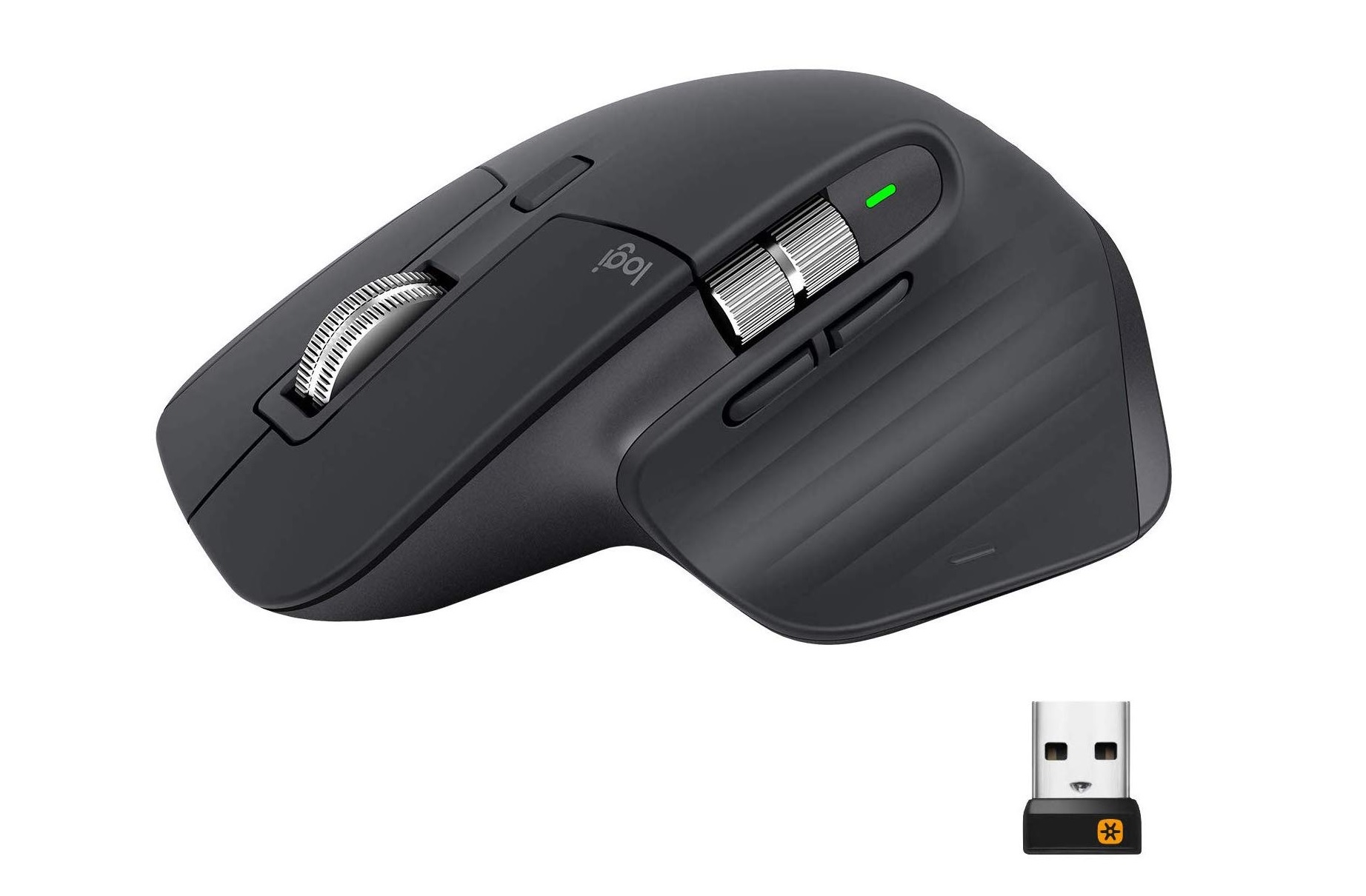
In other deal news, Logitech's excellent MX Master 3 mouse is down to $71.24 from Lenovo when you use the code EXTRA5 at checkout. It's rare for this mouse drop below its $100 list price anywhere, and I believe this is its lowest price yet. I have the second-generation version and it's super comfy, and the new model adds even smoother scrolling to the top wheel. As with previous versions, you can connect with up to three devices via either Bluetooth or wireless USB dongle.
|
|
| Thanks for your support! |
|
Notice anything different about this newsletter? After switching over the weekly format a couple weeks back, I stopped attaching a number to each issue, as it seemed to me that doing so had outlived its usefulness. Still, I understand that some confusion can arise if you're reading an older issue with no indication of when it was originally published, so as of now, I'm including a date at the top of each one.
If you have strong feelings about issue numbers, dates, or anything else related to this newsletter, I'm always happy to hear your feedback. Just reply to this email to get in touch.
Until next week,
Jared
|
|
|
|
|
|
|