Plus: An iOS YouTube enhancer and a simple podcast sampler |
How to stream music for less |
Plus: An iOS YouTube enhancer, a Windows dark mode switcher, and a simple podcast sampler |
For most of this year, I've been living the life of a streaming music nomad. |
While streaming music services such as Spotify and Apple Music typically charge $10 per month for access to their vast on-demand catalogs, I've managed to pay far less by bouncing between them, taking advantage of cut-rate promotions and free trials along the way. So far, I've gotten about 10 months' worth of streaming music, and it's only cost a grand total of $13. |
I say this not to boast, but to point out that this strategy may be replicable. All it takes is a willingness to be flexible and an ability—aided, perhaps, by this humble newsletter—to keep an eye out for deals. |
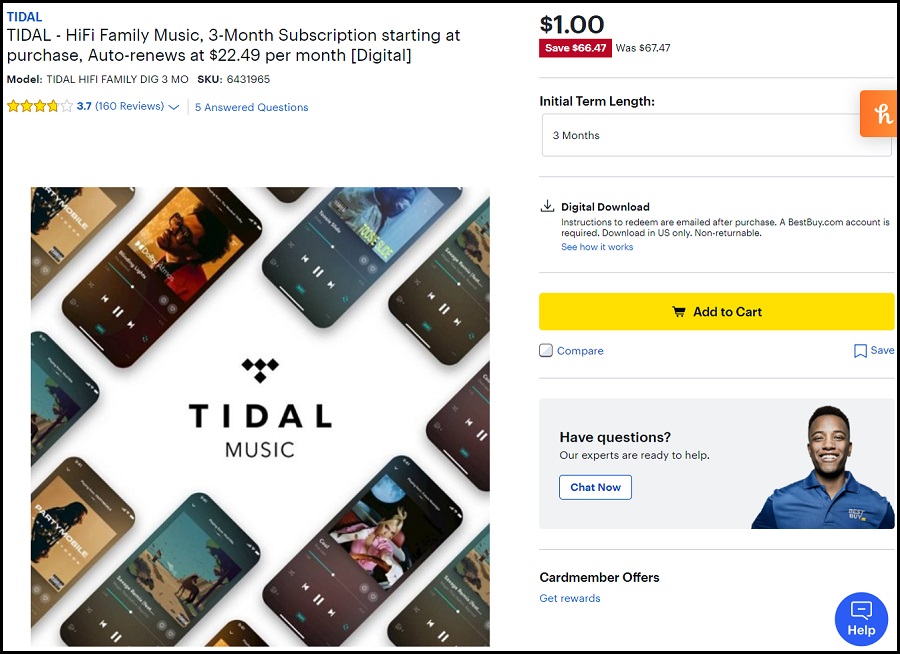
My journey into streaming music nomadism started in early April, when Best Buy offered a three-month subscription to Tidal's HiFi Family music plan for just $2 total. (The plan normally costs $22.49 per month.) I jumped on that deal, then immediately cancelled after signing up to avoid being billed at the end. |
Spotify's sporadic discounts |
In between those two Tidal deals, I also signed up for a three-month subscription to Spotify Premium, which cost a total of $10 instead of the usual $30. Spotify seems to offer these discounts on occasion to lapsed subscribers; it popped up for me while playing around with the app's Blend feature in early September, and just yesterday, the same deal arrived at my backup Gmail address, which I'd used for an additional free trial earlier this year. |
By leaving Spotify behind, you're opening yourself up to potential comeback offers. And as with the Tidal deal above, you can immediately cancel after signing up to avoid being auto-billed after the three months are up. |
Apple Music's extended trials |
While the full four months is only available to new subscribers, you can still tack on a free month of Apple Music if you're not already a subscriber. I was able to redeem a month of Apple Music over the summer, when my original Tidal deal expired, and I can see now that Apple is willing to give me another month under the new promotion. It's not a bad way to fill the gaps as you wait for other discounts to come around. |
Amazon Music's frequent giveaways |
Over the years, I've redeemed several extended trials to Amazon Music Unlimited, which Amazon often uses as a promotional tool for other products. |
The only hitch is that it's unclear what makes customers eligible for the deals. Being a previous subscriber isn't always disqualifying—I was granted a three-month trial in October despite having accepted other offers in the past—but you may get shut out if you're a recent subscriber. If you do get a deal, make sure to cancel through Amazon's subscription portal after signing up. |
The nomadic approach to music streaming is not without downsides. It requires adapting to an array of different music services, each with their own interfaces, and you won't be able to easily move your library and playlists between them. (The services TuneMyMusic and Soundiiz do allow you to transfer playlists, but both limit how much you can move for free.) |
Still, the approach works for me as someone who's not wedded to streaming music subscriptions in the first place. I still prefer buying music over renting it and using my Plex server to stream from anywhere, but picking up the occasional subscription helps when I'm in discovery mode and want to check out new bands or albums. |
Even if you're not a music collector, there are other ways to fill the gaps between discounts and extended trials. As I mentioned last week, Tidal now offers a free tier to compete with Spotify, and you can listen to the full catalog without a subscription on laptops and desktops. You can also check out radio-style apps such as as Pandora and Spotify Stations, make do with the more limited on-demand catalog of Amazon Prime Music, or check out offbeat streaming sources such as Poolsuite, Relisten, and Taper's Section. |
In the end, the dynamic reminds me of what we're seeing in streaming video as well: As deep-pocketed companies chase subscriber growth, they're willing to cut deals to those who hold out. If the past year has taught me anything, you may not have to wait long to get them. |
Ecobee gets bought: It's been a predictably slow news week, so allow me to indulge in writing about Generac's acquisition of Ecobee earlier this month. I bought an Ecobee smart thermostat four years ago, and I've been pretty happy with it as a way to control my home's temperature from my phone. Still, the company's subsequent forays into security cameras, voice-activated light switches, and thermostats-smart speaker hybrids never really made sense. I always wanted Ecobee to focus more on its core competencies of climate control and energy savings, yet it was too easily distracted by products that had little chance of standing out. |
I'm cautiously optimistic that the acquisition will sharpen Ecobee's focus. Generac, which sells 75% of all home power generators in the United States according to the New York Times, says the acquisition will serve its broader goals of creating a "clean, efficient, and reliable home energy ecosystem." Unlike the security camera market, which is increasingly dominated by tech giants like Amazon and Google, energy management is an area where Ecobee could do some interesting work. |
Firefox folds its password app: On December 13, Mozilla plans to shut down its Lockwise password manager app for iOS and Android, and will instead fold password management directly into the mobile Firefox browser. Lockwise users will be able to sync their passwords to the browser, and Mozilla has indicated that Firefox will eventually auto-fill passwords in other apps, just as Lockwise does now. |
Still, the announcement effectively kills any chance of Mozilla offering a password manager that works across all browsers, on par with 1Password or Bitwarden. This may be a rant for another day, but I'm wary of any password manager that traps you inside a single web browser, which is what Mozilla seems to be shooting for now. On the desktop, the company never released Lockwise extensions for other browsers, and I'm guessing it has no further plans to do so. The result will be a password manager that only appeals to the most dedicated Firefox users, and that's a shame. |
Yahoo Mail's paid plan price hike: As noted by Luke Bouma, Yahoo has quietly informed customers that the price of its ad-free email plan is changing from from $35 per year to $5 per month, but that customers can opt out of the price hike by clicking a link in Yahoo's announcement email. This is apparently part of a broader overhaul for the service—now called "Yahoo Mail Plus" instead of "Yahoo Mail Pro"—that also includes extra features such as masked email and the ability to block specific domain names. |
I have to admit that the existence of a Yahoo Mail subscription tier was news to me, but enough of you here are Yahoo users that I thought it was worth mentioning. If you're paying for the ad-free version, you'll have until January 9 to opt out of the price hike. |
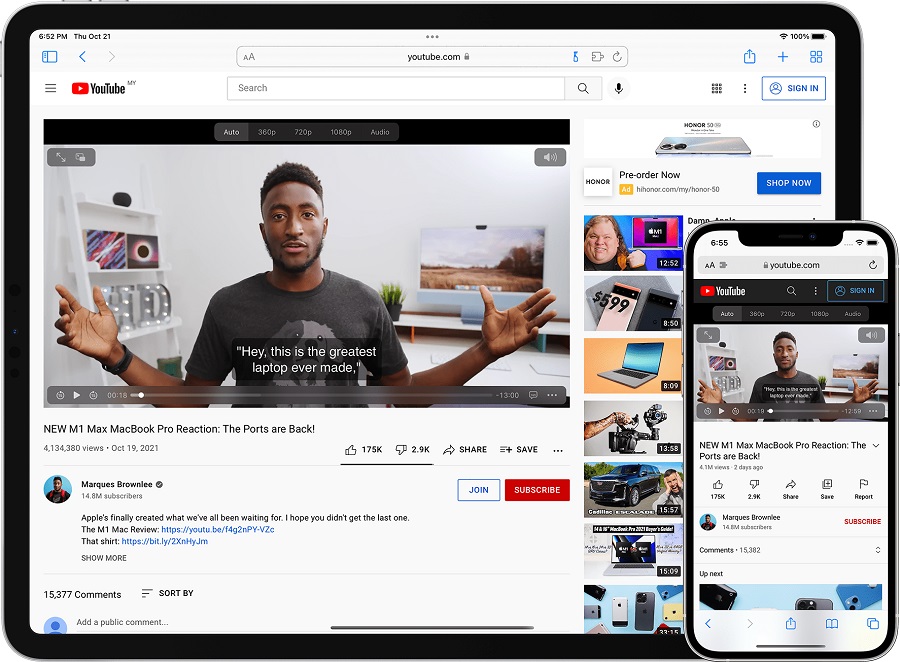
An iOS YouTube enhancer: Via John Gruber over at Daring Fireball, Vinegar is a new Safari extension that makes watching YouTube videos a lot better inside the web browser. When loading a video in Safari—either directly on YouTube.com or embedded in other sites—Vinegar replaces the familiar YouTube player with a more basic HTML version. |
This is especially useful on iOS, where the app eliminates pre-roll video ads, enables picture-in-picture support, maintains playback when you switch tabs, and stops YouTube from tracking things like watch time or pauses. You can also choose an audio-only option for any video, and music will still play when you switch apps or turn off the screen, which perfect for listening to concerts while you drive. |
A few caveats are in order, though: If you've installed YouTube's mobile app, clicking YouTube links (for instance, in search results) will still send you to the app, rather than the browser version. You can get around this by uninstalling the YouTube app, but then you'll lose the YouTube app's Chromecast support. (AirPlay still works in Safari, though.) Also, once you select the "Audio" playback option, you must remember to switch back to see video again, even for videos embedded into other sites. |
Overall, though, I'm glad I spent the $2 to see what the fuss was about, and will use Safari for nearly all my mobile YouTube viewing going forward. |
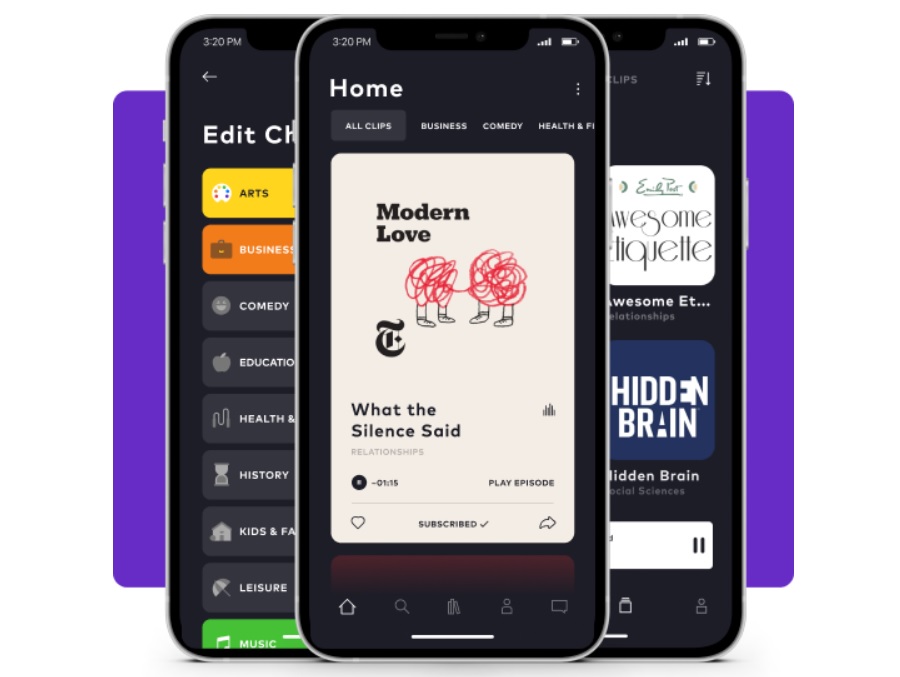
A simple podcast sampler: On Monday, Google announced its picks for best Android apps of the year, and one in particular caught my eye—or ear. It's called Moonbeam, and it helps you discover new podcasts through short, curated highlights. (It's also available for iOS.) Just pick a few preferred genres, and the app will present a list of samples to swipe through. You can then subscribe to the ones you like with one tap, or dive into a detail page for episodes and other info. |
The only downside is that you can't easily send podcasts to a different player, as Moonbeam clearly wants you to use its own app for all podcast listening. Still, Moonbeam's player is decent enough, with features like adjustable playback speeds and a sleep timer, and it's a great starting point for podcast newbies. |
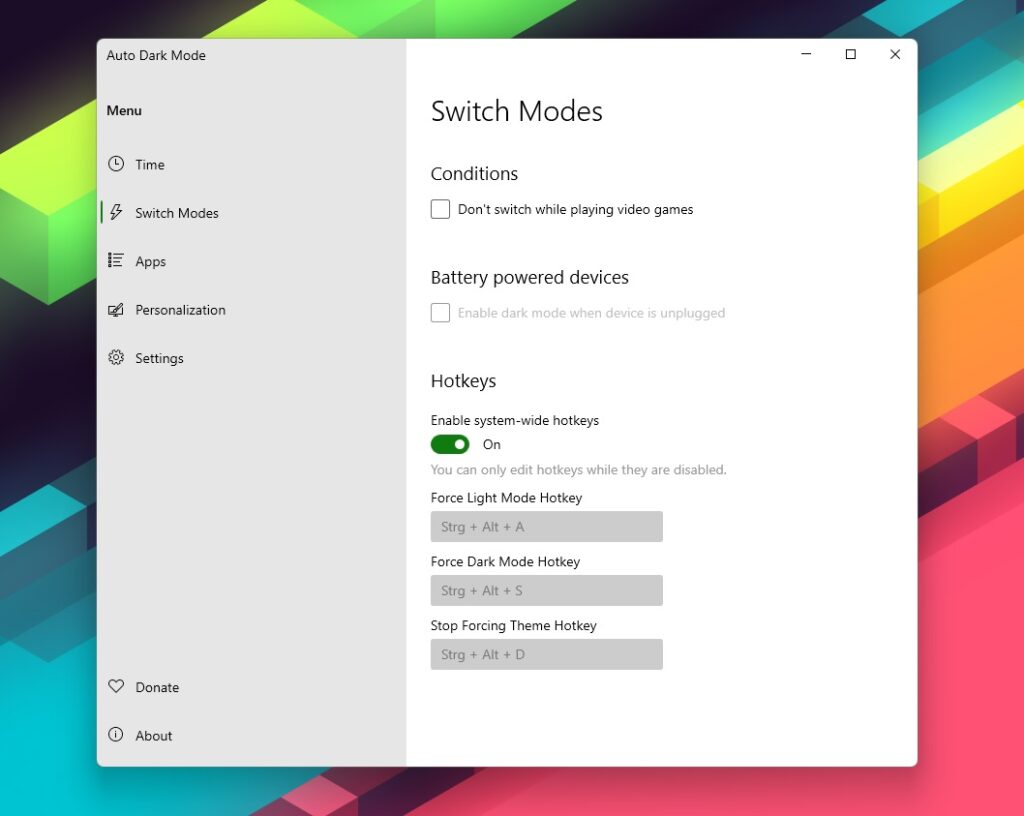
A Windows dark mode switcher: Ever since Microsoft added light and dark themes to Windows 10, Auto Dark Mode has been a must-have. The free app automatically switches between themes based on time of day, so you can get dark text on light backgrounds by day and light text on dark backgrounds at night. |
While the app isn't new, the recently-launched Auto Dark Mode X update brings a handful of big improvements. You can now set up keyboard shortcuts to switch modes—I suggest Ctrl-Alt-L for light mode and Ctrl-Alt-D for dark mode—and prevent switching while playing games. If you're swapping wallpapers at night, the app also supports separate ones for multiple monitors, or you can set solid background colors instead. Why Microsoft hasn't built these features directly into Windows continues to astound. Grab the app from Github or the Microsoft Store. |
Advisorator gift subscriptions are still on sale, so you can share this newsletter with other folks who might enjoy it. These are non-recurring subscriptions, and if you buy one now, you can set a future delivery date and personalized message to go with it. Thanks for considering! |
|
|
As you may have noticed, I'm skipping the deal section for this week's newsletter after the usual Black Friday/Cyber Monday bacchanal. I suspect we'll see a mini-resurgence of deals as Christmas gets closer, so don't despair if you failed to spend all your money over the past week. If you have any questions or comments, don't hesitate to send me an email or hop into the Advisorator chat room on Slack. |
This has been Advisorator, written by Jared Newman and made possible by readers like you. Manage your subscription by clicking here, or reply to this email with "unsubscribe" in the subject to cancel your membership. |
Advisorator LLC, PO Box 42711, Cincinnati, OH, 45242 |
|
|
|

 Jared Newman | November 30, 2021 |