 |
| |
 |
| August 4, 2020 |
| The netbook, reborn |
|
Plus: A new Pixel phone, a way to reclaim Google storage space, and headphone deals galore
|
| |
 |
|
Back in 2009, when I was just getting started as a tech journalist, my laptop suddenly died from a fried motherboard, so I bought a cheap netbook to keep my young career going.
The MSI Wind U120 was objectively not a great laptop. It had an underpowered Intel Atom processor, a measly 1 GB of RAM, and a tiny 10-inch screen. But at $350, it was pretty much all I could afford at the time, and looking back, it was fun to use in a contrarian way. The entire PC industry seemed to hate netbooks and their puny profit margins even as millions of people bought them, yet I had no problems using Windows XP on mine, and it traveled well. (Maybe a little too well; it got stolen six months later, at which point I was doing okay enough at freelancing to get a full-sized laptop instead.)
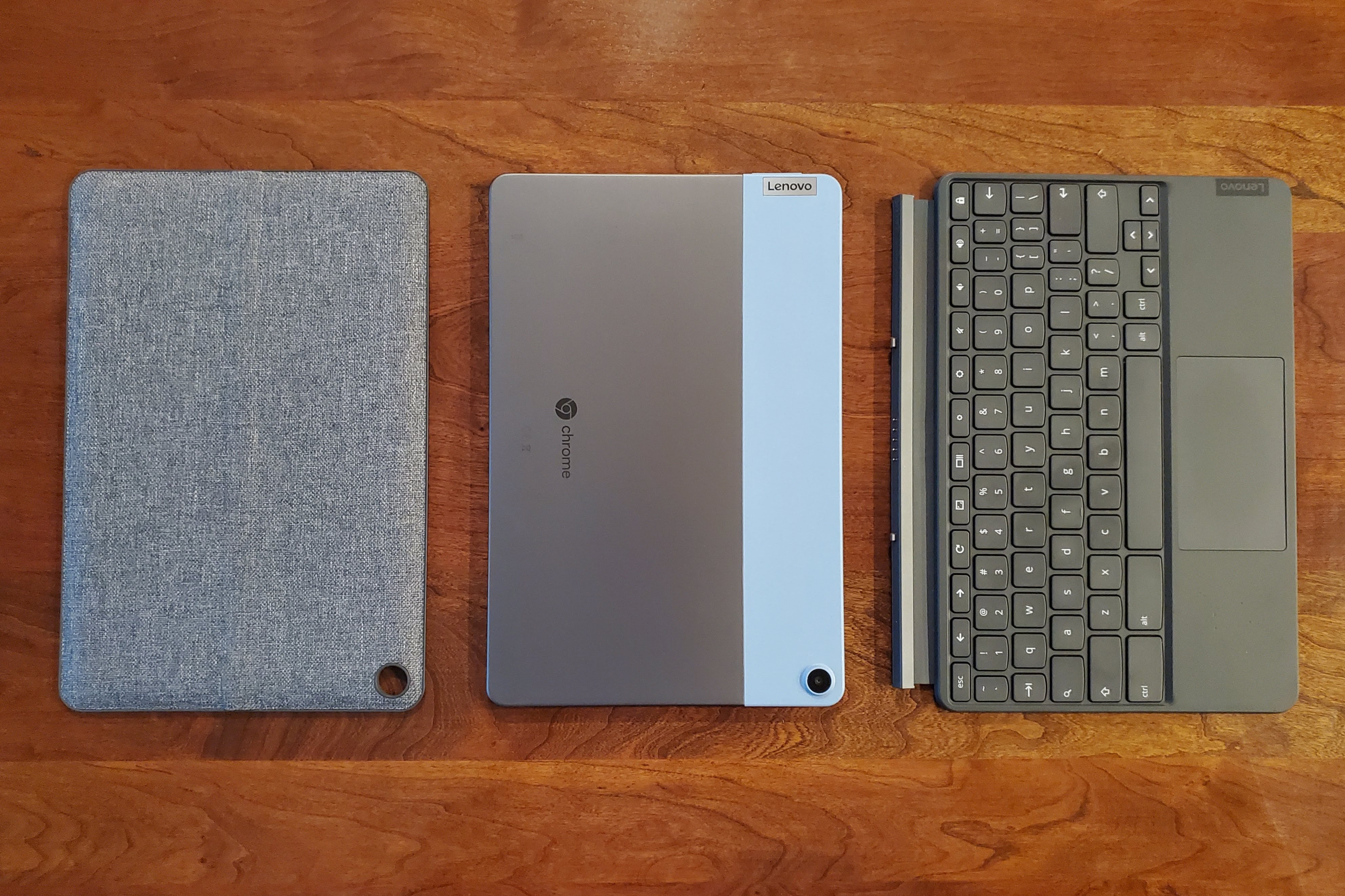
Over the past couple weeks, I've been playing with a computer that reminds me a lot of that little machine. It's called the Lenovo Chromebook Duet, and while it's not a netbook per se, the similarities are undeniable. The 10-inch screen is tiny, the MediaTek processor performs poorly in benchmark tests, and the 4 GB of RAM is on the low end of acceptable. Yet it's a lot of fun for the kind of basic web browsing and app use for which it was made. I bought an open-box model at Best Buy for $250—$50 less than the asking price—and am struggling to think of a better value in computing.
Unlike the netbooks of yesteryear, the Chromebook Duet is both a tablet and a laptop—a response, perhaps, to the iPads and Android tablets that eventually made netbooks less appealing. It includes a fabric cover with a kickstand that attaches magnetically to the back of the tablet, along with a keyboard and trackpad that snap onto the tablet's bottom edge. If you've seen a Microsoft Surface tablet, it's the same idea.
Because the Duet runs Google's Chrome OS, it doesn't support most of the software you'd find on a Mac or Windows PC. You're mostly limited to the Chrome browser and Android apps from the Google Play Store, and while the system technically supports Linux apps, many of those don't work on ARM-based processors like the Duet's MediaTek Helio P60T chip.
Those limitations haven't bothered me, though. On a device like this, productivity consists of emailing, document editing, and juggling a handful of browser tabs, and Chrome OS works just fine for all those things. I've been using Minimalist Markdown Editor to write and Autosync for OneDrive (an Android app) to keep my documents synchronized across devices, but you could just as easily use Google Docs or the Android version of Microsoft Word.
Speaking of Android apps, I've gone back and forth on whether Google was right to put them on Chromebooks, but on the Duet they make sense. When using the device in tablet mode, it's nice having a touch-friendly way to use video apps like Netflix or reading apps like Feedly, Pocket, and Kindle.
My biggest qualms with the Chromebook Duet are inherent to its size: The trackpad is tiny, the keyboard is cramped, and the 10-inch screen doesn't leave room for lots of browser tabs. I also wouldn't mind having a full-sized USB port in addition to the single USB-C port.
Yet those limitations also help reinforce what the Chromebook Duet is for. It's not a replacement for a big laptop or desktop computer, but a highly portable supplement you can tote around to pass the time or get some quick things done. To that end, it starts up quickly, gets eight to 10 hours of battery life per charge, has a bright enough display for outdoor computing, and is versatile as both a tablet and laptop. (I'm also a sucker for the fabric cover and two-tone tablet color scheme, which give the Duet more personality than your average grey or black computing slabs.)
|
 |
|
There are other devices that offer this mode of computing, albeit for more money. You can pair an iPad with Logitech's Combo Touch keyboard, but the tablet alone costs $329 (or $250 at its typical sale price) and the keyboard is an extra $150, bringing the price to at least $400. Microsoft's Surface Go 2 gives you a full Windows experience, but costs $530 for the tablet and keyboard together.
The Lenovo Chromebook Duet excels not in spite of its price, but because of it. For $300 (or less with open-box deals or sales), it's easier to justify as an extra computing device, one that fits in between a phone and a full-blown PC. In some ways I like it even better than an iPad for this purpose because I can use the desktop version of Chrome, with all my favorite extensions in toe.
As a primary computing device, it's obviously a tougher sell, but even here I can see some scenarios in which it might make sense. And I suspect that 2009 Jared would have loved it.
|
|
| Need to know |
|
The Pixel 4a arrives: Elsewhere in the realm of Google-related hardware, the long-rumored Google Pixel 4a phone is launching on August 20 for $350. Like last year's Pixel 3a, the new phone strategically snips away high-end tech specs to achieve a lower price, while still offering slick software and a camera that rivals some of the most expensive phones on the market.
Compared to the pricier Pixel 4, the 4a lacks a secondary telephoto lens, wireless charging, face recognition, and a 90 Hz display for smoother on-screen motion. Its Snapdragon 730G processor is also slower, and there's no "XL" version with a larger screen than the standard 5.8-inch model. It does, however, include a headphone jack and a rear finger print reader—neither appear on the Pixel 4—and reviewers are reporting a big improvement in battery life. (Here's Cherlynn Low's praiseful review for Engadget, and Input's Ray Wong with a contrarian take and some photo comparisons.)
The only true bummer to me, as someone who's admired Google's previous color choices, is that the Pixel 4a only comes in black, but at least you can still get some snazy fabric cases for it.
Apple's all-encompassing gift cards: Apple has stopped selling separate gift cards for iTunes and the Apple Store, instead offering a single "everything Apple" gift card that covers apps, subscription services, and hardware.
Consolidation makes sense as the old bifurcated approach probably confused a lot of folks, but as Macworld's Mike Simon notes, it could also mean the end of discounted App Store credit. Although Apple would sometimes offer deals on iTunes gift cards—giving you, for instance, 15% off a $100 card—it probably won't do the same now that hardware is involved.
Cortana's retreat: Microsoft is officially giving up on Cortana as an all-purpose virtual assistant. It's shutting down Cortana's iOS and Android apps, and abandoning hands-free Cortana support on its Surface Headphones and Harmon Kardon's Invoke speaker. (The company's offering a $25 Microsoft Store gift card for owners of the former and a $50 card for owners of the latter.)
Going up against the likes of Siri, Alexa, Google Assistant was clearly a futile endeavor from the start, and Microsoft never really articulated why Cortana would be a better alternative. Still, the assistant isn't dying off yet; Microsoft says it's repurposing Cortana as a productivity aide in apps like Word and Microsoft Teams. It seems like the kind of demotion that will eventually lead to an outright exit.
|
|
| Tip of the moment |
 |
|
Get Google storage space back: Sticking with this week's overall Googley theme, the search giant has just put out a new web page for freeing up Google Drive space. Most notably, the "Large Items" section of that page highlights the Gmail threads, Google Drive files, and Google Photos uploads that are occupying a lot of space.
Although Google already allowed users to search for large Gmail attachments and sort Google Drive files by size, those tools were hidden from users, and Gmail's attachment search only looked at individual file sizes, not entire threads with multiple attachments. I just spent a couple minutes looking at my large Gmail threads with the new site and cleared out well over 1 GB of storage space.
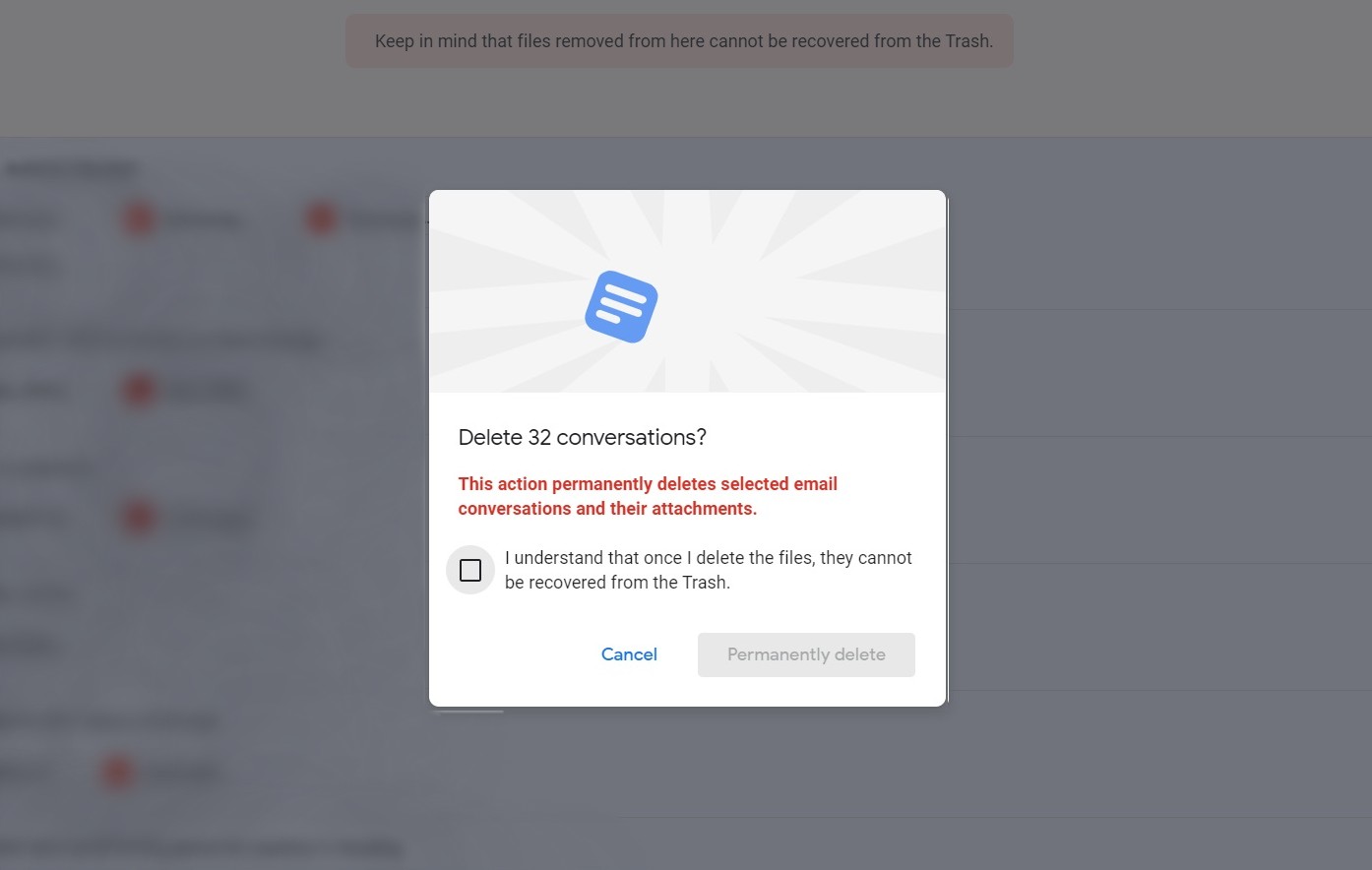
A word of caution, though: Anything you delete this way will skip the trash and disappear forever. Unless you're not particularly attached to your emails, I suggest sifting through and deleting large threads one-by-one instead of wiping them all out at once.
|
|
| Now try this |
|
Quick PDF conversion: Adobe has launched a free online PDF converter, which you can access by typing pdf.new into your browser's address bar. From there, you can select any Word, Excel, PowerPoint, or image file to turn into a PDF. I still prefer generating PDFs from the print dialog in Windows 10, MacOS, or ChromeOS, but Adobe's site can come in handy on mobile devices where a native print to PDF option isn't available.
Jam out remotely in Spotify: Spotify has updated its "Group Session" feature to let faraway friends create and listen to playlists together at the same time. To activate it, hit the TV-speaker icon while playing something, then select Start a group Session > Start Session > Invite Friends. You can then share the invite into other social or messaging apps, or create a shareable link.
The catch? It only works when everyone has a Spotify Premium subscription. (TechCrunch's Sarah Perez has some smart ideas on how Spotify should extend the feature to everyone.)
Burgers by surprise: I cannot yet endorse RandomBurger, a service that for $15 per month delivers a burger from a randomly-selected pick up spot near you at a not-entirely-predictable time. I cannot speak to the quality of the burgers delivered, the reliability of the service, or the underlying technology. (My best guess: Someone figured out how to automate Uber Eats or GrubHub orders from places with decent Yelp reviews.) You can be certain, however, that I will be trying RandomBurger myself and reporting back my findings. Stay tuned.
|
|
| Around the web |
|
|
|
| Spend wisely |
 |
|
It appears to be a great day for headphone and earbud deals.
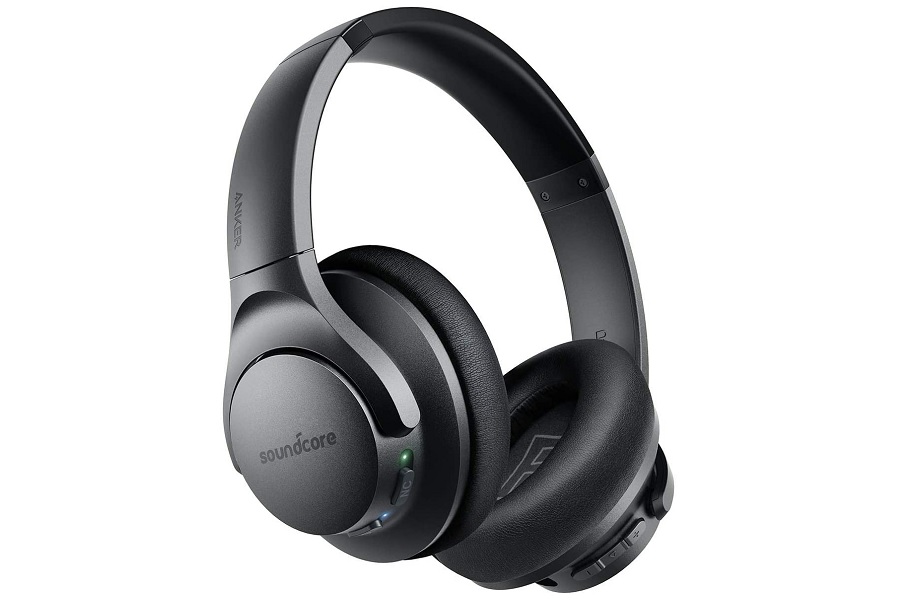
Most notably, Anker's Soundcore Life Q20 noise-cancelling headphones are on sale for $40, which is $20 off the regular price. These are The Wirecutter's pick for best budget noise-cancelling headphones, with great battery life, solid sound quality, and soft foam earcups.
Meanwhile, The Wirecutter's premium pick for noise cancelling headphones, the Bose 700, are also on sale for $300 in white or $330 in silver or black, all down from the usual $400.
On the Apple side of things, you can get AirPods with a wireless charging case for $140, down from the usual $200 and Amazon's lowest price to date. And if you're willing to roll the dice on refurbished earbuds, the eBay has the AirPods Pro for just $156.40 when you use the code PICKVIP at checkout.
|
|
| Thanks for your support! |
|
Special thanks to those of you who sent testimonials my way last week. I will be cycling some of them into the website soon! (On that note, if you know anyone who might enjoy Advisorator, please consider sharing the sign-up link with them.)
As always, I'm happy to answer any tech questions you might have, either over email or in Advisorator's Slack chat room.
Until next week,
Jared
|
|
|
|
|
|