Plus: Apple's next event and tweaks for Google's app launcher |
Why I don't rely on built-in password managers |
Plus: Apple's next event, tweaking Google's app launcher, and hiding faces in photos |
A few years ago, relying solely on your web browser for password management was a laughable concept. |
Sure, the auto-fill features in Chrome, Firefox, and other browsers made logging into websites easier, but they didn't help you log into apps on your phone. They also didn't include some features that were table stakes in dedicated password managers, such as the ability to generate secure passwords when signing up for new services. |
But a lot's changed since then: |
These built-in password managers have also become more sophisticated. They all have the ability to generate strong passwords on your behalf, and they can alert you to any passwords that are weak, redundant, or stolen. Apple even added two-factor authentication code support to iCloud last fall, so you don't need a separate app to help lock down your accounts. |
All of which adds up to a compelling case for whatever password manager is built into your favorite web browser. Compared to dedicated password managers, the setup process is minimal, and they'll likely never cost you anything, so I suspect that lot of people will use those default password tools without even thinking about it. |
The main reason I don't rely on any of these password managers is largely about flexibility. I have a borderline obsession with not being permanently tied any particular device or computing platform, and these built-in password managers can ultimately be another mechanism for lock-in. |
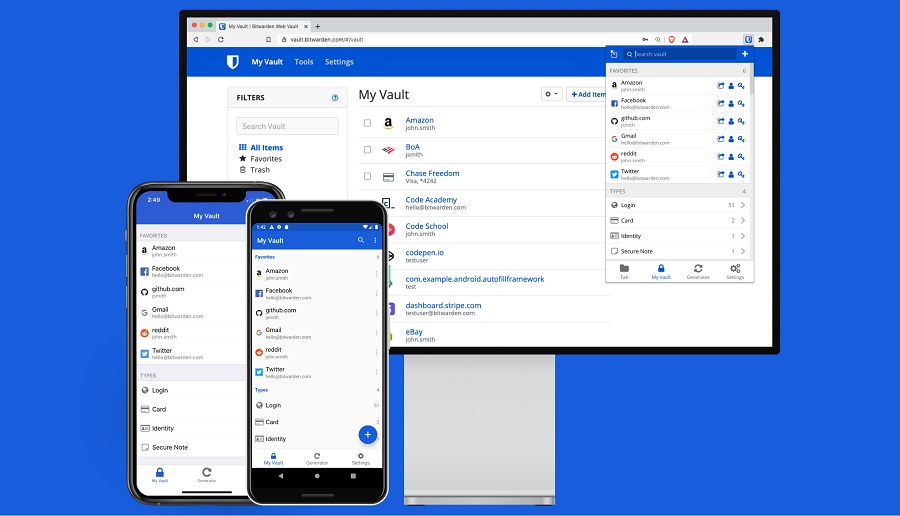
Since I'm using Bitwarden as my password manager, bringing my passwords to a new device or web browser only requires installing the Bitwarden app or browser extension, then logging in, and my passwords automatically sync no matter where I am. With built-in password managers, switching can be more of a hassle: |
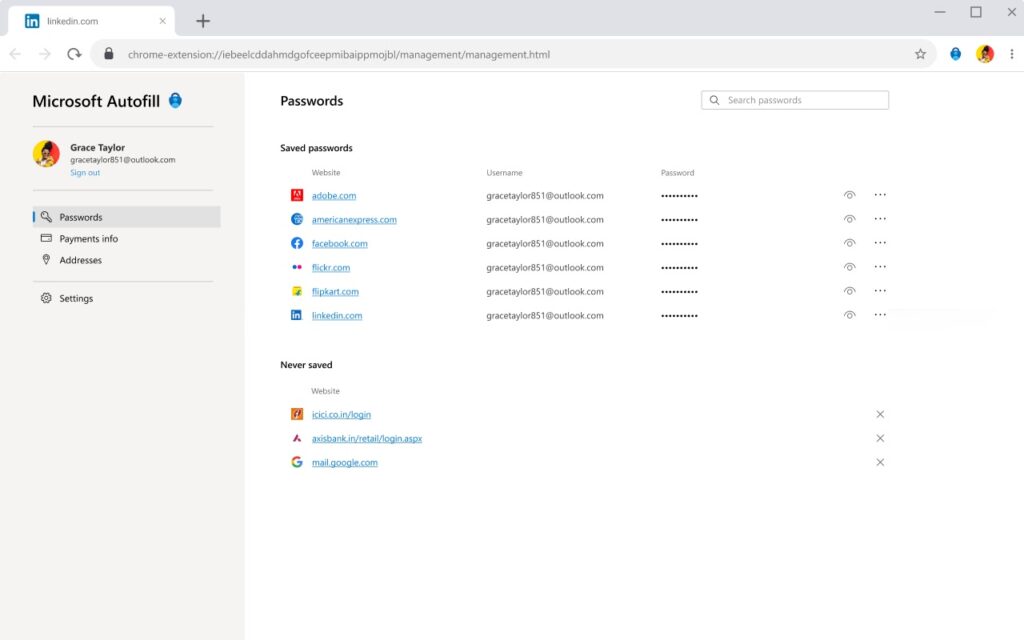
- Microsoft, to its credit, offers a Chrome extension for accessing your passwords outside of Edge, but it doesn't offer add-ons for Safari or Firefox. If you want to use those browsers, you'll need to import your password list from Edge.
- Chrome has no way to sync your passwords in other browsers, so whenever you switch, you'll have to import your Chrome password list.
- With iCloud Passwords, you can't access your passwords on Android or sync passwords in Windows browsers other than Chrome and Edge. And unless you have a Mac, you can't export your passwords to a different service at all.
- Some alternative browsers, such as Vivaldi, Brave, and Opera, don't offer auto-fill features on mobile devices. If you rely on their built-in password managers, you won't have an easy way to log into apps on your phone.
|
Lock-in isn't the only reason to consider a dedicated password manager. The major browsers still don't offer group sharing options so that family members can easily log into shared services, nor do they let you add notes or other supplemental details to your accounts. Some password managers can also auto-fill passwords in desktop apps—Chrome, Edge, and Firefox can't do this—and can generate two-factor authentication codes. |
But for me, being able to seamlessly switch between browsers or devices is by far the biggest factor. Being able to try new tools—or abandon ones that no longer work well—is important to me, and I never want something as mundane as passwords to get in the way. |
Android's next update: Google is laying the groundwork for a bigger Android tablet push with the launch of Android 12L. The update is rolling out now on select Pixel phones, where it mostly delivers some minor interface improvements, and it'll arrive on actual tablets later this year, with Samsung, Lenovo, and Microsoft all pledging support. Larger screens will get a persistent app dock, from which you can drag apps into split-screen mode, and the notification shade will have a split view with quick settings on one side and notifications on the other. |
The backstory is that while Apple spent years refining iOS for tablets, Google seemed to put more of its big-screen energy into Chrome OS, only to come back around to seeing Android tablets as "the future of computing" in the past year or so. We'll see how that pans out. |
Epic buys Bandcamp: The news last week that Epic Games is acquiring Bandcamp was a doozy to me as someone who uses the service extensively. Bandcamp lets artists sell their music with far more favorable revenue splits than iTunes, and it gives users hassle-free downloads with lossless audio at no extra charge. If your music tastes lean indie and you prefer owning songs instead of renting them via streaming services, it's the best place to shop by a wide margin. |
So why is Epic buying it? The announcement is ambiguous, but it could be a way to feed music into Epic's metaverse ambitions, or at the very least provide a source of soundtracks for anyone creating games in Epic's Unreal Engine. While both companies insist that little will change for Bandcamp's actual users, I wonder for how long a company of Epic's scale will continue catering to music download nerds like me. You can read more of my anxieties about that in this story over at Fast Company. |
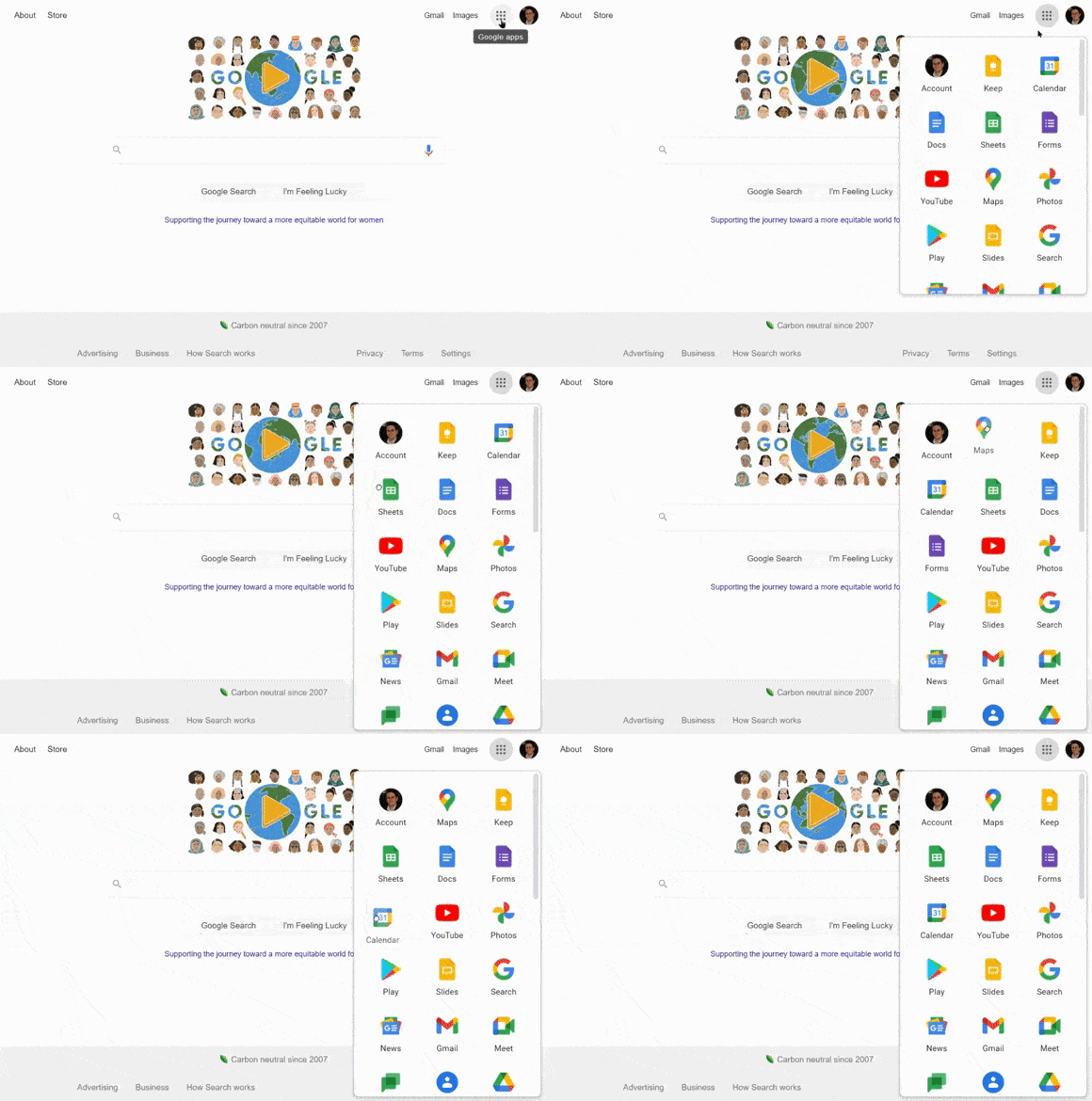
Customize Google's app launcher: You know the little 9x9 dot icon that appears at the top-right corner of every Google website, which brings up a mini launcher for Google apps such as Gmail and Calendar? I just realized, more than eight years the launcher's debut, that you can rearrange the order of those apps just by clicking and dragging. |
This only works if you're signed into a Google account—otherwise the apps will be stuck in place—but it means that you can move your most frequently-used apps to the top off the list for easy access, while demoting the ones you never touch. The order you choose will then automatically sync across all your devices. |
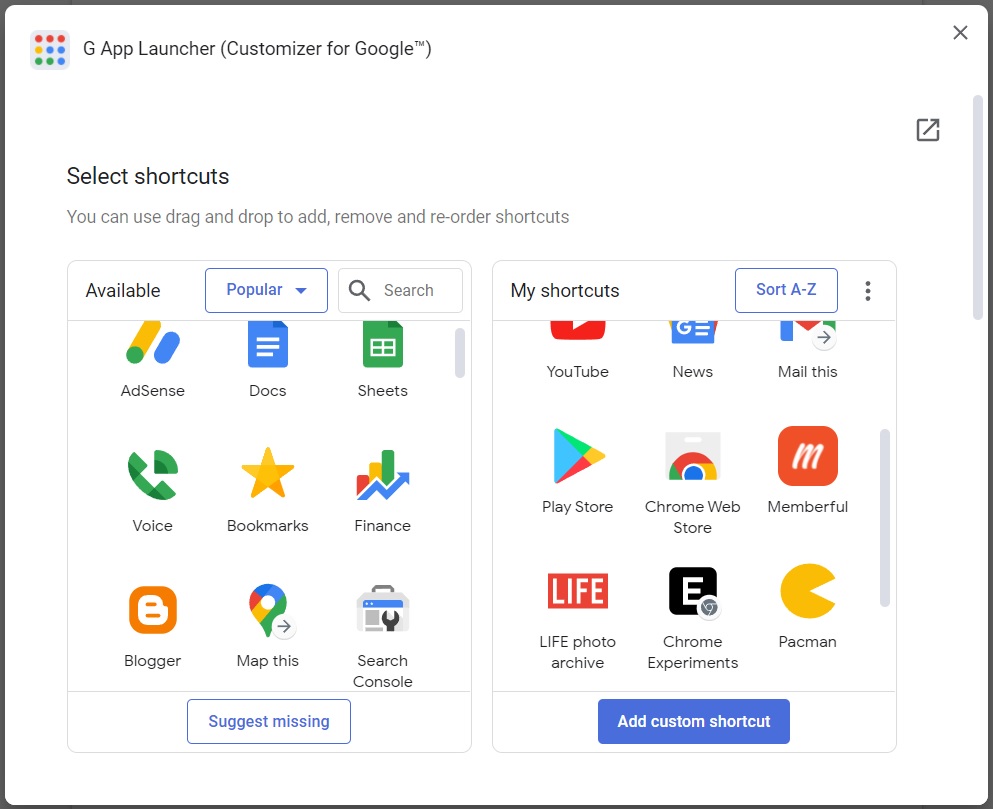
If that level of customization isn't enough, a free Chrome extension called G App Launcher goes even further by providing hundreds of additional shortcuts. That means you can add less popular Google services, such as Google Voice, set up quick actions such as drafting a new message in Gmail, or even create custom shortcuts to any website, even those outside Google's domain. |
Once you've installed the extension, click the the gear icon at the top of the launcher to enter the customization menu. Shortcuts that you drag into the right-side panel will then appear inside the launcher, while the ones in the left panel will be hidden. |
To add your own sites, click "Add custom shortcut" in the customization menu, then enter the site name and address. You can also add a custom icon by pasting the link to any image on the web. |
G App Launcher does have two major differences from Google's launcher: Clicking an icon will launch the site in a new tab instead of your current one. But if the app is already open in another tab, it'll switch to that tab instead. I actually like that behavior even better. |
(Hat tip to reader Tim C., who started me on this path by asking why Google's launcher didn't link to Google Voice in the first place.) |
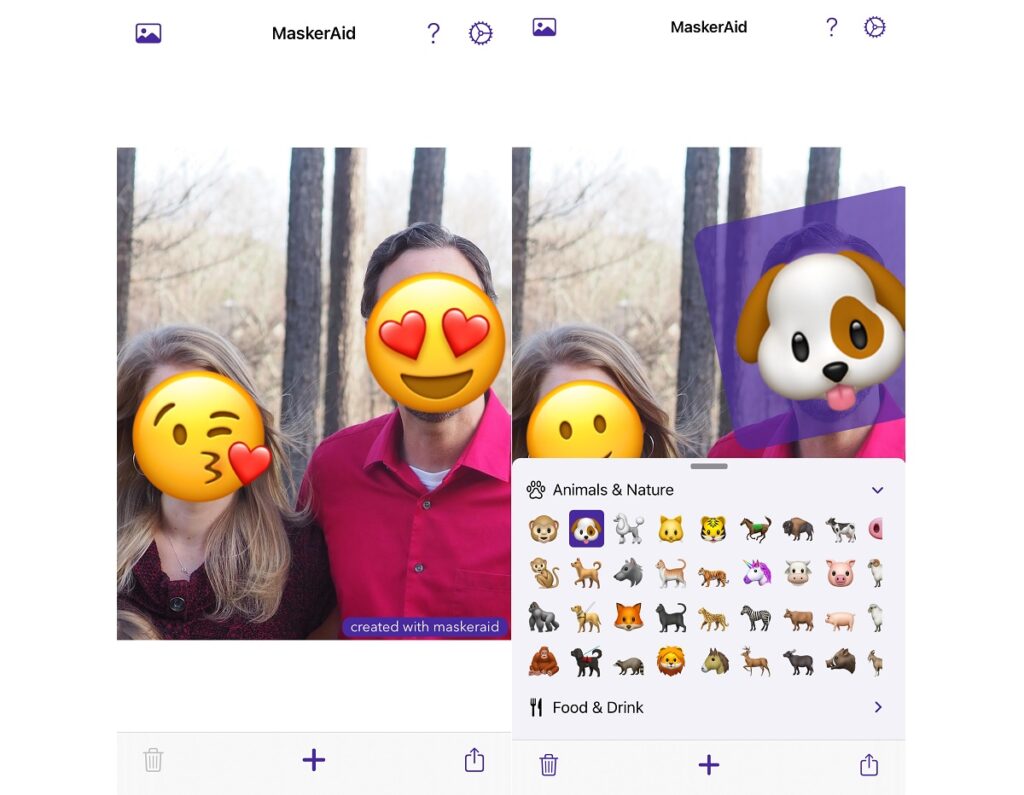
Hide faces in photos: Via 9to5Mac, MaskerAid is a handy iPhone app for quickly slapping emoji over people's faces. That way you can publicly share photos while allowing certain subjects—kids, students, or strangers, for instance—to remain unidentified. When you select a photo, MaskerAid attempts to automatically detect faces and apply emoji. You can then resize, rotate, or move each one and share the result to your camera roll or other apps. |
The app is free if you don't mind a basic smile emoji and a small "Created with MaskerAid" watermark in the corner of the image. Otherwise, you can remove the watermark and unlock more emoji with a flat $3 in-app purchase. |
Play some online synths: For a fun little diversion, check out Roland's growing collection of online synthesizers, modeled after the originals from the 70s and 80s. After launching web versions of the TR-808 drum machine and TB-303 bass synth, Roland has just added the SH-101 for simple melodies, and it's hinting at more synths to come throughout the year. You can even mix the three instruments together and click the record button to create miniature downloadable tunes. Neat! |
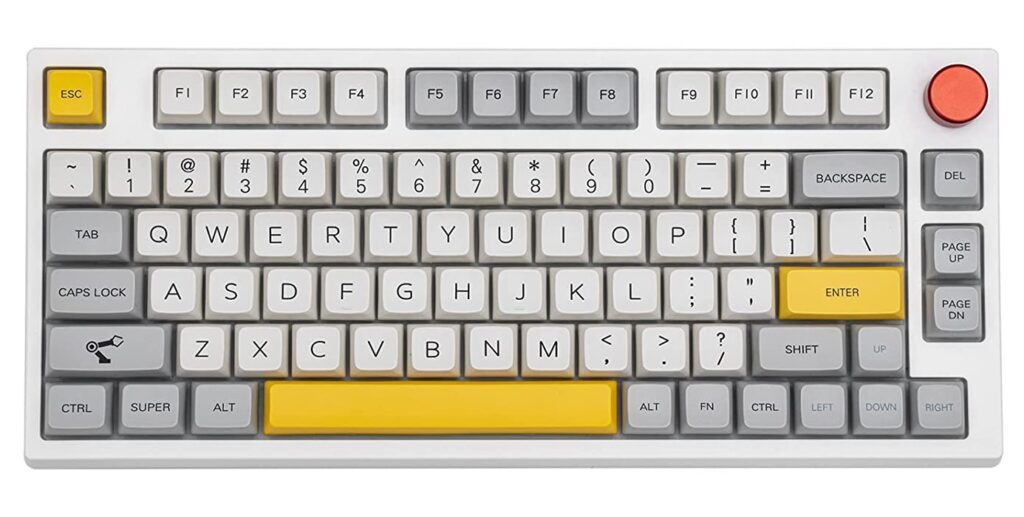
I enjoyed reading Michael Crider's recent PCWorld story on budget mechanical keyboards with premium features, and then I noticed that the last keyboard on the list, Epomaker's TH80, is currently $10 off when you clip Amazon's on-page coupon. That brings the price to $80 for a mechanical keyboard with your choice of Gateron Pro switches, a programmable rotary knob, hot-swappable key switches, and either Bluetooth or USB-C connectivity. (Neat-looking keycaps as well.) |
The only downside is that it's not shipping until May, though some TH66 models, which drop the function key row to save space, are in stock right now. |
Do you have your own deeply-held opinions on password managers? Got anything in particular you're hoping to see from Apple today? How about questions on anything you've read in this newsletter? I'm always happy to hear from you. Just reply to this email to get in touch. |
This has been Advisorator, written by Jared Newman and made possible by readers like you. Manage your subscription by clicking here, or reply to this email with "unsubscribe" in the subject to cancel your membership. |
Advisorator LLC, PO Box 42711, Cincinnati, OH, 45242 |
|
|
|

 Jared Newman | March 8, 2022 |